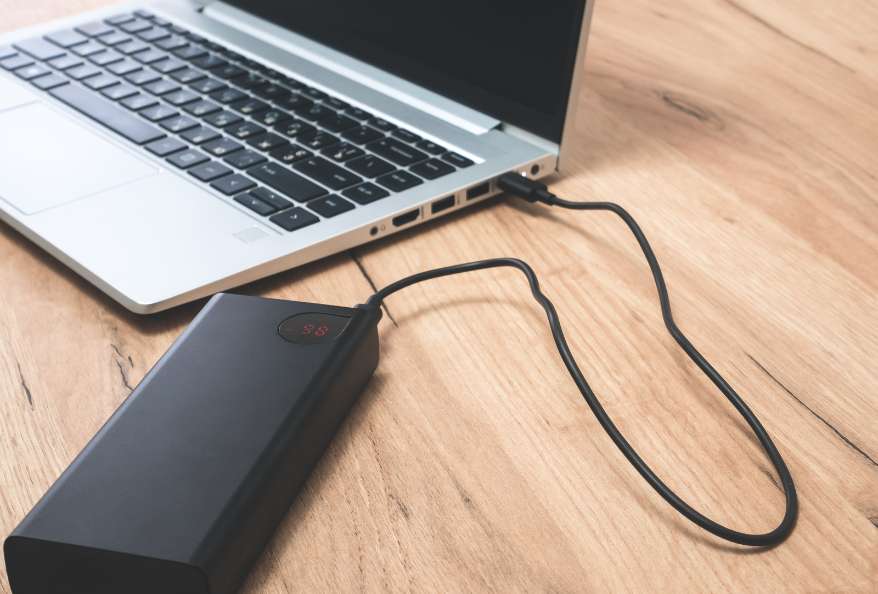
A laptop charger search can quickly turn into a comparison of price, wattage and plug photographs. Those details are useful only when they relate to the requirements of the actual computer. Before selecting a replacement for laptop charger, find out what the manufacturer specifies and turn the information into a request a supplier can answer.
The task is not to locate the biggest number on a power brick. It is to match the device, electrical requirements as well as the connector while keeping seller claims distinct from manufacturer approval. This guide explains how to read an offer, resolve missing information and arrange a sensible check at delivery without assuming that every laptop charger/adapter with a familiar-looking plug is interchangeable.
Start from the device requirement
Identify the complete laptop model, then consult the manufacturer’s support information for its power requirements. Treat an existing laptop charger/adapter as something to verify, especially if it came with a used computer or you cannot establish who selected it.
Record the required adapter reference and any specification supplied by the manufacturer, together with the source of that information, so that a seller can compare the offered product against an actual requirement rather than deciding what you probably need from a brand name and a photograph. An uncertain reference stays uncertain.
An unidentified requirement needs qualified help. Contact manufacturer support or a service provider before ordering. The aim is not to make every shopper an electrical engineer; you need to know which facts must be confirmed and who can give you an answer that applies to the exact laptop and the product you intend to buy.
Laptop Charger Replacement: Separate output details from the rest of the label
Read the laptop charger label carefully and preserve a clear record of it. Identify which fields describe the output supplied to the laptop, and compare those fields with the manufacturer’s requirement. Do not use an unfamiliar number simply because it is printed prominently.
A seller enquiry should identify the intended laptop model and proposed adapter reference, then ask for confirmation of the required electrical details, including any field that is unreadable on the existing label or missing from the listing you are considering for the replacement. Request the missing information. Do not guess a character or unit.
Keep the original wording of the specification in your notes. Paraphrases such as “high power charger” are convenient search phrases, but they remove the details that the supplier or technician needs to compare the product correctly.
What a real power specification looks like?
For example, Replacement Battery Mall’s catalogue lists an MSI charger identified as ADP-330GB D at 20V, 16.5A and 330W. These are seller-listed specifications for that particular product. They provide concrete fields to check, not a claim that the charger fits every MSI laptop or that its availability proves original manufacturer approval.
When considering an item in the Replacement Battery Mall laptop charger catalogue, ask whether the exact product meets the requirements of the complete device model you provide. Keep the seller’s compatibility answer with the listing used to make the decision.
Do not turn this example into a universal target. The appropriate specification comes from the computer’s requirements; a large advertised wattage does not excuse a mismatch elsewhere. Resolve every required field before comparing the price of an apparent alternative.
Wattage gives you a specification to compare, but a product description that supplies only wattage has not answered the full compatibility question. Ask for the other required electrical details, the connector description and the supported device or adapter reference.
Imagine finding a cheaper laptop adapter with the same headline wattage as the part you need, but no explanation of its connector or the exact models supported by the seller’s claim. Mark it as incomplete. There is no useful saving to calculate until you know what is actually being offered.
Where it stops: a numerical match on a shop page is not independent safety testing or manufacturer authorization. If those claims influence your decision, ask for evidence applying to the actual product and avoid describing unverified claims as established facts.
Give the connector its own confirmation
A clear photograph can help expose a discrepancy, but it should not be your only method of confirming the connector. Compare the required connector specification and applicable dimensions against the proposed product using the manufacturer’s information and the supplier’s written response.
Do not conduct a trial fit to settle an unresolved question. Ask the seller to identify the product first, and arrange professional help if a damaged port or unclear connection makes safe assessment difficult. This is a selection guide, not a procedure for modifying plugs or repairing power supplies.
Replacement Battery Mall lists laptop chargers/adapters as well as laptop batteries. Keep those purchase decisions separate: finding both categories at one retailer does not mean a particular adapter has been verified for the computer whose battery you are considering replacing.
Distinguish replacement shopping from fault diagnosis
Dell identifies the adapter, battery, charging port, drivers or BIOS, and also settings among possible causes of charging problems. Its support guidance includes checking the adapter wattage recognized in BIOS and using manufacturer diagnostics. Dell recommends genuine approved chargers; physical plug acceptance alone does not establish compatibility.
Apply the support process for your own device rather than transferring every instruction from another brand. If the computer is not charging, record the actual messages and diagnostic findings before deciding that a new charger is the answer.
For a hypothetical machine that works intermittently when connected, the unresolved question is what causes the interruption, not which online shop offers the fastest replacement delivery. Ask a qualified repairer to distinguish the suspected adapter problem from port or battery issues, and avoid firmware work while a reliable power arrangement remains unestablished.
Write down the limits of the proposed solution
A replacement laptop charger should be purchased for a defined need. Perhaps the original item is missing, or a diagnosis supports replacement. In either case, document what the purchase is expected to solve and which questions remain outside its scope.
Buying a charger is not evidence that an existing battery is healthy, nor does it settle every complaint about unplugged use. If a service provider proposes several components, ask for the reasoning behind each one so you can distinguish a necessary repair from an unresolved possibility.
Keep safety claims precise. A seller’s description can tell you what the seller asserts, but reassuring wording cannot supply independent certification for the product in front of you or resolve a missing compatibility answer about the computer on which you intend to use it. Do not improvise connector modifications. Obtain the correct approved product.
Plan battery care separately from adapter selection
Microsoft advises roughly 20%–80% battery charge during use and around 40%–60% for storage, while discussing heat avoidance and supported Smart charging. These are battery care recommendations, not specifications for selecting an adapter. They do not show that a charger with a particular advertised wattage is suitable for your laptop.
Review supported charging settings only after the device and power supply have been correctly identified. If a setting or displayed charging behavior is unclear, consult the manufacturer’s explanation instead of assuming that a different charger must change it.
Swelling requires a different response. Microsoft advises stopping use and avoiding pressure or puncture; seek qualified service. Waiting for a replacement adapter does not justify continuing to use a device with that physical warning sign.
Check the order against a usable label record
Create a Laptop Charger Label Record before purchase. Keep it short enough to send to the seller or installer without stripping away the details that made the proposed match credible.
Record the full device model and manufacturer-supported adapter requirement.
Copy the proposed product reference and its stated output specification.
Confirm connector details and dimensions through the appropriate sources.
Save the compatibility response and any evidence behind approval claims.
Note the diagnosed problem or missing accessory the purchase should address.
Deven Nandapurkar is a Software Engineer, Project Lead; working at the strategic intersection of software engineering, productivity science, and emerging technologies. Driven by a core philosophy of "building things worth building," he leads cross-functional teams and drives end-to-end technical strategy—from early-stage conceptualization through production-grade deployment.
A Computer Engineering graduate from Pune University, Deven brings a sharp systems-thinking approach to technical leadership, honed by years of managing high-stakes engineering projects and leading teams to top placements in national and international hackathons, including the NASA Space Apps Challenge and the Peerlist GenAI Hackathon.
Deven explores how human cognition and emerging technology converge. He regularly writes about cognitive performance optimization, attention management, AI integration, and the evolving dynamics of the modern workforce - offering actionable frameworks for professionals seeking to maximize their productivity and thrive alongside intelligent systems.
Deven Nandapurkar is a Software Engineer, Project Lead; working at the strategic intersection of software engineering, productivity science, and emerging technologies. Driven by a core philosophy of “building things worth building,” he leads cross-functional teams and drives end-to-end technical strategy—from early-stage conceptualization through production-grade deployment.
A Computer Engineering graduate from Pune University, Deven brings a sharp systems-thinking approach to technical leadership, honed by years of managing high-stakes engineering projects and leading teams to top placements in national and international hackathons, including the NASA Space Apps Challenge and the Peerlist GenAI Hackathon.
Deven explores how human cognition and emerging technology converge. He regularly writes about cognitive performance optimization, attention management, AI integration, and the evolving dynamics of the modern workforce – offering actionable frameworks for professionals seeking to maximize their productivity and thrive alongside intelligent systems.