This blend of creative design and technical expertise creates apps for phones and tablets that function flawlessly and surpass user
Mobile App Development Basics: Complete Beginner’s Guide 2025
To learn the mobile app development basics, you need to make user interfaces that are easy to use, write code in Swift for iOS or Kotlin for Android, thoroughly test performance, and publish the app to app stores. This blend of creative design and technical expertise creates apps for phones and tablets that function flawlessly and surpass user expectations.
Android vs iOS Development
When learning the mobile app development basics, it’s important to know the differences between Android and iOS. Android is an open-source platform that works with many different devices. Most of the time, it uses Kotlin or Java to write code. On the other hand, iOS only works on Apple devices and uses Swift or Objective-C. This exclusivity makes it easier to manage fewer types of devices, but it could also limit the number of people who can use them. Both platforms have a lot of users, so you should choose one that fits your budget and audience as you learn the basics of mobile app development.
Also read: Best Full Stack Development Courses with Certifications
Cross-Platform Solutions
One of the most important things to know about making mobile app development basics that work well on both Android and iOS is cross-platform development. Frameworks like Flutter and React Native let developers write code once and use it on many platforms. This saves time and money compared to making separate apps for each operating system. Cross-platform solutions speed up market entry, which is great for simpler apps where native features aren’t as important. They may lose some platform-specific features and performance, though.
Also Read: Alternative to Guardsquare for Mobile Application Protection
Native vs Hybrid Apps
One of the most important things for any mobile app development basics developer to know is the difference between native and hybrid apps. This choice has a big effect on how well the app works and how users feel about it. Native apps use platform-specific code (Swift for iOS and Kotlin for Android) to get the best speed and access to device features. Hybrid apps use web technologies to work on multiple platforms, but they may be slower and not have all the native features.
Native apps are an important part of the mobile app development basics. They are written in languages that are specific to each platform, such as Swift for iOS, Kotlin for Android, and Java for Android. They improve performance by optimizing for the hardware and software of the device, which makes for smooth user experiences. But they need separate codebases for each platform, which makes development and maintenance more expensive.
Hybrid apps are another important part of learning the mobile app development basics. They use web technologies like HTML, CSS, and JavaScript to combine web and native features. A single codebase lets you develop faster and for less money on more than one platform. But they often give up native-level responsiveness and advanced device features, which could make users angry if they expect smooth performance..
Also read: Data structures and algorithms with CPP
Core Development Tools
IDEs in Mobile App Development Basics: Essential Tools for Efficient Coding”
Choosing the right IDE is one of the most important things to do when making mobile app development basics. It gives you the tools you need to code, test, and debug quickly. Android Studio is great for developing Android apps because it has features like code completion and real-time debugging. X code, on the other hand, makes it easy to use Swift and Objective-C together for iOS apps. Beginners like that Android Studio is easier to set up, but X code is a must-have for iOS because it works better with Apple’s ecosystem. Both are important tools with their own strengths.
Programming Languages for Mobile in Mobile App Development Basics
Picking the right programming language is one of the most important things to know about making mobile app development basics. Java has a lot of libraries and works on many different platforms, while Kotlin’s short syntax and ability to work with Java make development easier. For new projects, iOS uses Swift’s modern, safe syntax, and for old code maintenance, it uses Objective-C. Choosing the right languages for each platform improves performance and the way developers work..
Version Control Systems in Mobile App Development Basics
Version Control Systems (VCS) are an important part of the mobile app development basics because they make it easy for teams to work together and keep track of code. Git is the best because it is flexible and has powerful branching. Platforms like GitHub and GitLab make it easier to work together by hosting repositories. A reliable VCS reduces mistakes, speeds up the process of fixing bugs and adding features, and makes it easier to work on mobile app projects with more than one developer.
Mobile App Development Basics: Key Takeaways
- Pick the Right Platform: Choose to develop for either Android (using Android Studio with Java or Kotlin) or iOS (using Xcode with Swift), or opt for cross-platform tools like Flutter to reach a wider audience.
- Choose your languages and IDE: For Android, use Android Studio; for iOS, use Xcode. Learn Kotlin or Swift for native development, or Dart for Flutter.
- Make the UI/UX user-friendly by focusing on simplicity, touch targets (at least 48 dp), and accessibility features like screen readers to make navigation easy.
- Use Git with GitHub or GitLab to keep track of changes and make it easier for teams to work together.
Essential App Design Principles in mobile app development basics
User Interface (UI) Design Basics
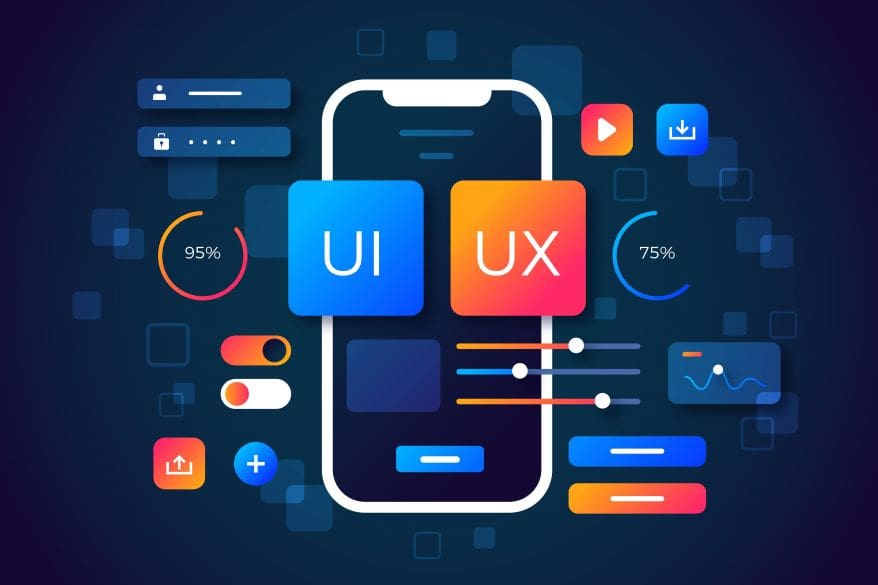
It’s critical for any mobile app development basics to have a pleasing user interface. To begin, keep it simple. A clean and simple design actually makes it easier for users to move around the app.
Choosing the right colors and using the same typeface throughout are two important parts of mobile app development basics that help make professional, cohesive interfaces. Colors should match the brand’s personality and be pleasing to the eye without being too much for users. For touch-based interactions, make sure that buttons and other interactive elements are big enough to avoid mis-taps and make things easier to use.
Touch target sizing is an important part of making mobile app development basics. Android says the minimum size should be 48×48 dp, while iOS says it should be 44×44 points (about 9mm/1cm in real life). Adding enough padding around interactive elements makes taps more accurate, which cuts down on mistakes and frustration for users. Following the iOS Human Interface Guidelines and the Android Material Design guidelines makes sure that both platforms have experiences that are familiar and easy to understand..
User Experience (UX) Best Practices
A mobile app development basics can only be successful if it provides a fantastic user experience. First, do in-depth market research and create detailed user personas to get a better idea of what your users want and need. Next, make an onboarding process that is easy to follow and shows off important features without making new users feel overwhelmed. Make navigation easy to understand so that users can locate what they need without getting frustrated. Speed is important, so keep loading times short. Last but not least, get feedback often and make small changes over time. Use analytics to find out where users have trouble and make your designs better based on that.
Mobile App Accessibility
When making apps, making them easy to use should be a top priority. Add features like voice control, screen readers, and alternative text for images to make sure your app is accessible to people with disabilities. Furthermore, make sure that layouts can change to fit different screen sizes and orientations. Use colors with high contrast to make things easy to read, and don’t rely solely on color to get your point across. Furthermore, add closed captions and transcripts to audio and video content. As a result, implementing these features will enhance your app’s accessibility, attract more users, and increase their satisfaction. Making things accessible is ultimately not just a smart idea but also required.
Backend Services and API Integration
Cloud Solutions for Mobile App development basics
Cloud solutions have changed the way mobile apps work with data and tasks. Apps can access information anytime, anywhere, through the cloud instead of relying on local storage. AWS, Google Cloud, and Microsoft Azure are some of the most popular platforms that offer storage, databases, and computing power. These services help developers make apps that can handle more users as they come. Cloud solutions make it easier to keep performance up during traffic spikes, which makes sure that users have a smooth experience.
RESTful and GraphQL APIs in Mobile App development basics
APIs are essential for making mobile apps because they let different software services talk to each other. Because they are simple and widely supported, RESTful APIs have become the standard choice. They use HTTP methods like GET and POST to send and receive data. GraphQL, on the other hand, is becoming more popular because it lets clients ask for exactly what they need, which cuts down on data transfer and makes things run more smoothly. RESTful and GraphQL APIs both help developers connect apps to servers, databases, and third-party services, which makes the app more useful.
Security and Data Management Mobile App development basics
Security is the most important thing to think about when making mobile apps. Protecting data means keeping user information safe from unauthorized access and breaches. Developers need to include things like encryption and safe ways to log in. Data management means keeping track of and organizing data flow in a way that is beneficial for app performance. Using databases that support multiple connections and increasing storage space as needed are two ways to manage data. Furthermore, following strong security practices helps keep users’ trust and adherence to the rules.
These are the parts that make modern mobile apps. These components make modern mobile apps development basics dynamic, safe, and responsive to user need. Developers make apps that offer smooth experiences and keep user data safe by combining cloud solutions, APIs, and strong security measures.
Testing and QA in Mobile App Development
Automated Testing Tools
Automated testing tools are essential for making sure that mobile apps are of high quality and work quickly. These tools run the same tests on different devices and operating systems, which saves time. Selenium is a popular choice for web-based mobile apps, and Appium is an open-source tool that works with many platforms. These tools help find bugs early, so developers can focus on making the user experience as smooth as possible.
Beta Testing Strategies
Beta testing is an important part of making an app. It means giving the app to a small group of people outside of the development team. Their feedback tells us how easy it is to use, how well it works, and any bugs we missed. To run a successful beta test, think about these tips: Recruit a diverse group of testers to address various use cases, establish clear methods for providing feedback, and offer incentives for participation to encourage involvement. Test Flight for iOS and Google Play Console for Android make beta testing easier by letting you easily share apps and get feedback.
Performance and Load Testing
Mobile app development basis is important for user satisfaction that an app works well in a variety of situations. Performance testing checks how well the app works in different network settings and situations. You should test the app with different scenarios to see how it handles data loads and requests from the server. Load testing is a type of performance testing that looks at how the app works when there is a lot of demand. You can use tools like Apache JMeter and LoadRunner to pretend to be many users and see how far the app can go. Finding bottlenecks before launch helps keep the application strong enough to handle real-world use, so users can count on getting the same excellent service every time.
Publishing and App Store Optimization
Submission Process for App Stores in Mobile App Development Basics
There are a few important steps you need to take to submit your app to an app store. First, make sure your app obeys all the rules set by the platform, like the App Store from Apple or the Play Store from Google. You will need to make a developer account, which usually costs money every year. After you sign up, get everything you need ready, like screenshots of your app, descriptions, and a privacy policy. Upload the build file for your app, which is usually an APK for Android or an IPA for iOS. Last but not least, send your app in for review. The review process can take from one day to a week or more, depending on the platform’s busyness and your app’s complexity.
Optimizing App Store Listing
You must optimize your app store listing to ensure visibility and downloads. Begin with a short, catchy title that includes relevant keywords. Make a clear, intriguing description that talks about the main features and benefits of your app. Use high-quality screenshots and, if you can, videos to show how your app works. Pay attention to keywords; finding the right ones can make it much easier for people to find your app. Getting favorable reviews and ratings from users can also help your app’s reputation and get more downloads.
Tracking and Analyzing App Metrics
Monitor and analyze various app metrics to continuously improve your app’s performance. Pay attention to how many people download and install your app. If there are any changes in those numbers, please investigate the reasons. Metrics such as session length and frequency can reveal user satisfaction. Please review crash reports and user feedback to address any issues promptly. You can learn more about these metrics by using tools like Google Analytics and the dashboards that come with the platforms. You can make smart choices about updates and marketing strategies if you know what these data points mean. This will improve your app’s performance and make users happier.
Future Trends in Mobile App Development
The Rise of AI and Machine Learning
Mobile app development is changing thanks to AI and machine learning. These new features let apps give users more personalized experiences. AI helps apps like virtual assistants learn what users like and make suggestions that feel more natural. Machine learning models make it possible to translate languages in real time and analyze data in more depth, which opens up new possibilities for app functionality. To make apps work better, developers now combine these technologies. This keeps users interested and coming back.
5G and Mobile Connectivity
The introduction of 5G networks significantly impacts the development of mobile applications. Apps can work better and have more features when the internet is faster and has less latency. For instance, video streaming apps can show higher-quality content without buffering, and real-time gaming apps let you play without any interruptions. 5G also opens up new options for apps, such as cloud-based gaming and better IoT connections. As 5G becomes more common, developers need to change how they work to take advantage of these new features and meet changing user needs.
Augmented and Virtual Reality
Augmented Reality (AR) and Virtual Reality (VR) are no longer just words that people use to get attention; they are important parts of how mobile apps will work in the future. They add digital information to real-world settings, like in apps like Pokemon Go or those that help you plan your home design. VR lets you fully immerse yourself in games, school, and training, but you need a headset to do so. As technology gets better, mobile apps that use both AR and VR are likely to offer more interactive and fun experiences. Developers are working on new ways to use AR and VR that make these technologies easier to use and more useful in everyday situations.
FAQs
What is Artificial Intelligence in Mobile Apps?
AI is changing mobile apps by making them smarter and easier to use. AI can make experiences more personal, handle tasks on its own, and provide you information by analyzing data. Many apps now come with AI-powered features like chatbots, voice assistants, and recommendation systems.
What are security and privacy concerns?
When making mobile apps, it’s essential to think about security and privacy. Users want their information to be safe, and developers should ensure that personal information is secure. To keep user data safe, developers use encryption, authentication, and other security measures. They also regularly update apps to fix security holes and follow privacy laws.
What are user experience and design?
Design and user experience are crucial for the success of mobile app development basics. A good app is easy to use, looks good, and is easy to find your way around. It should give users a smooth experience that keeps them interested and happy.
Additionally, to stay updated with the latest developments in STEM research, visit ENTECH Online. Basically, this is our digital magazine for science, technology, engineering, and mathematics. Furthermore, at ENTECH Online, you’ll find a wealth of information.
References
- Dol, S. M., & Jawandhiya, P. M. (2025). Design and Development of Mobile Application Using Android Studio Software for Learning the Course Research Methodology Effectively – STTP<sub>MA</sub>RM. Journal of Engineering Education/Journal of Engineering Education Transformations/Journal of Engineering Education Transformation, 38(IS2), 202–215. https://doi.org/10.16920/jeet/2025/v38is2/25025
- Sandesara, M., Bodkhe, U., Tanwar, S., Alshehri, M. D., Sharma, R., Neagu, B., Grigoras, G., & Raboaca, M. S. (2022). Design and Experience of Mobile Applications: a pilot survey. Mathematics, 10(14), 2380. https://doi.org/10.3390/math10142380
- Charland, A., & Leroux, B. (2011). Mobile application development. Communications of the ACM, 54(5), 49–53. https://doi.org/10.1145/1941487.1941504
- Author
- Latest Posts

A driven and dedicated IT professional specializing in web development and research. Backed by a strong academic foundation and extensive hands-on experience at Coneixement INDIA, I consistently deliver innovative, high-quality digital solutions that enhance user experience and drive measurable business growth.
With a passion for continuous learning and advancing my technical expertise, I am eager to take on new challenges in dynamic, larger organizations where I can contribute to transformative projects, optimize digital strategies at scale, and help elevate the company’s online presence. My commitment to excellence, combined with a results-oriented approach, makes me a valuable asset ready to support business objectives and future-proof digital initiatives in competitive markets.