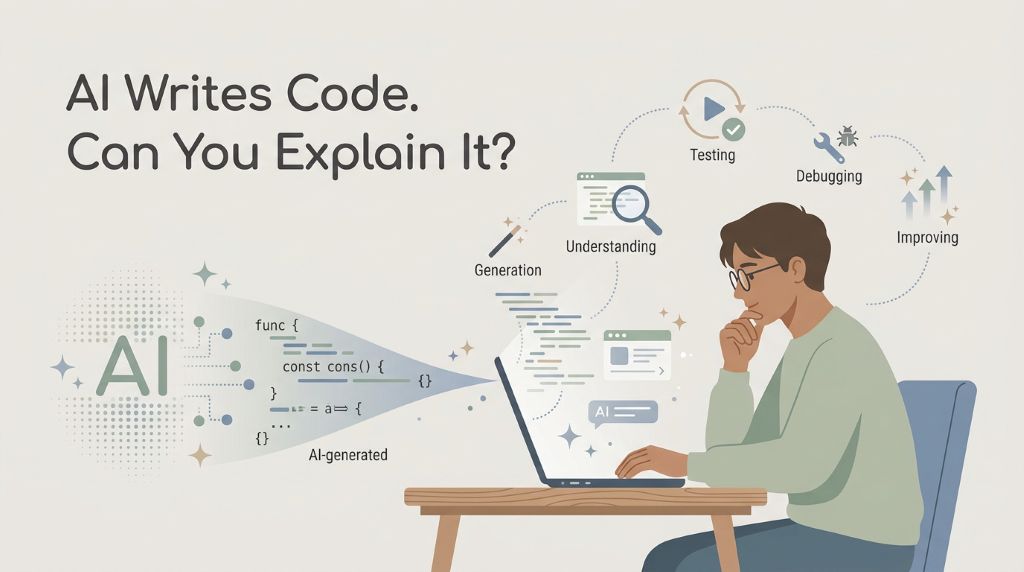
There’s one sentence I can’t stop thinking about. AI can write your code in seconds. But can you explain it? At first, it sounded like a catchy line. Then I realized it is one of the biggest questions every student or junior developer using AI should ask. I know because I have stood on both sides: staring at brilliant projects I wanted to learn from and watching AI produce code faster than I could understand it. That tension became one reason I began building LoWisa: AI coding tools for students. I kept asking myself what would happen if the same AI that could build so quickly could also slow down just enough to teach, guide, and keep the learner involved. I began to think that this could be part of the solution to an uncomfortable question: what happens when the code works, but you cannot explain it?
Fig.1: Key Takeaways Illustration of AI Can Write Your Code
With many AI coding tools, the first few minutes can feel almost magical. You describe what you want, and the screen begins filling with code. A page appears. A button works. A bug disappears. The speed is exciting. The danger is easy to miss because the project may look successful. Then something breaks, a teacher asks why a certain choice was made, or an interviewer points to one function and asks, “What does this do?” If the answer is silence, the code may be working while the learner is still standing outside the understanding.
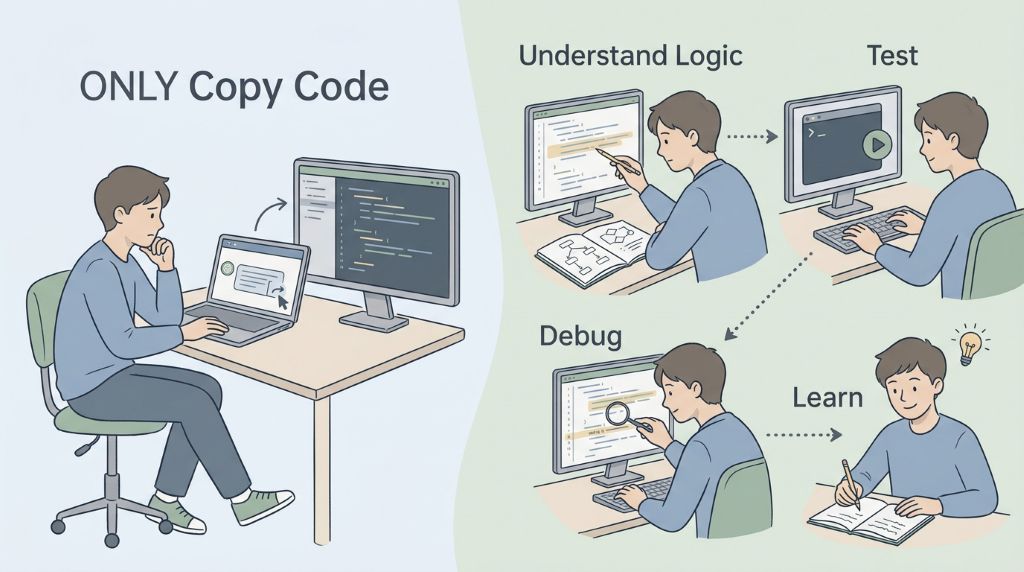
Fig. 2: From AI-generated code to human understanding
I know that feeling from before AI coding became this powerful. I would find a public GitHub repository from a respected company or an experienced senior engineer and know there were valuable skills inside it. But opening the repository felt like walking into a city without a map. There were folders, configuration files, libraries, unfamiliar names, and connections I could not yet follow. YouTube created a different version of the same problem. A great mentor could make an impressive project look simple, but when the video ended and I opened my own editor, I often did not know where to begin.
Learning by Doing—and Making Your Work Visible
Those experiences taught me that access to good code is not the same as learning from it. The useful habit is to stay active: predict what a section might do, read it, change something, run it, test it, explain the result in your own words, and fix what fails. AI can guide that process, but it should not take every thinking opportunity away from the learner. And even when we do understand a project, another problem can quietly waste all that effort: what happens if the work disappears into a folder or local host that nobody important will ever see?
Escaping the Invisible Folder: Why You Must Ship Live
My college projects exposed that problem clearly. I built solid work, submitted it, received marks, and then watched the project disappear into a laptop folder. Only the assessor saw it. A future employer could not click it. I rarely returned to practice with it. It did not collect improvements, bug fixes, or a visible history of my growth. The assignment had value, but much of that value became invisible as soon as the assessment ended.
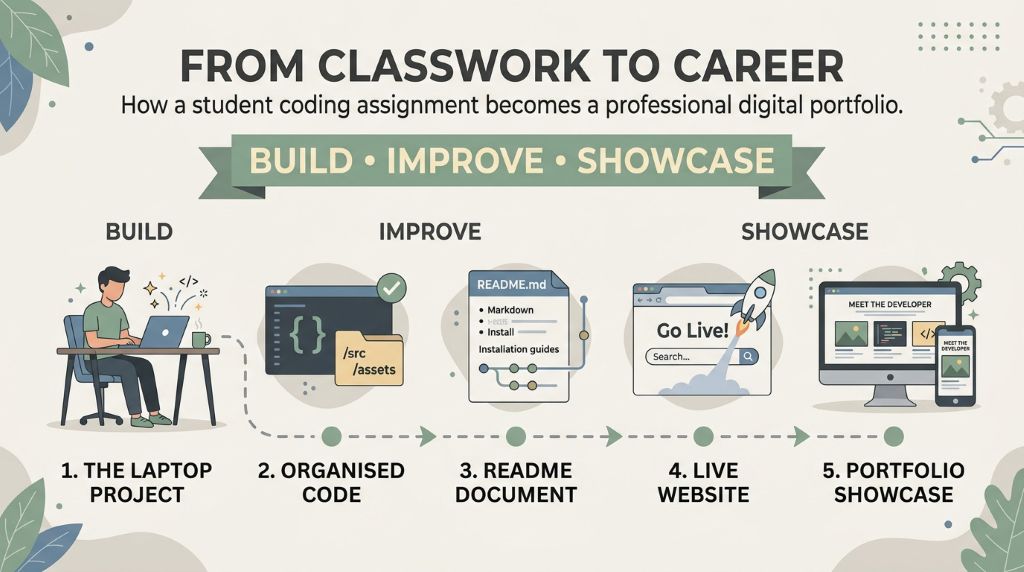
A student can change that story before leaving school or university. A school assignment, personal idea, science-fair project, certification project, or tutorial build can become a living portfolio piece. Keep the code in a well-organized GitHub repository. Write a short README that explains the problem, what you built, and what you learned. If the project can run on the web, publish it through GitHub Pages or another suitable live service. Now a teacher, mentor, classmate, family, recruiter, or internship coordinator can see more than a grade. They can see evidence of what you can actually build.
STUDENT PORTFOLIO CHECKLIST: 4 STEPS TO TURN SCHOOLWORK INTO A HIREABLE PORTFOLIO 1. Build something that solves a clear problem, even if the first version is small. 2. Run an ownership check: explain what the project does, why key choices were made, and what you would change next. 3. Ship it live with a clean GitHub repository, a useful README, and a real URL when the project supports web deployment. 4. Return and improve it: fix one bug, add one feature, retest it, and let your project history show how your skill is growing.
Shipping live changes the way you look at your own work. Once another person can open the project, details that were easy to ignore in a hidden folder or local host suddenly matter. Does the page load correctly? Is the README clear? What happens when someone enters the wrong input? Can another person understand the structure? These are small engineering questions, but answering them begins to turn an assignment into professional practice. Yet making a project visible is only the first step. How do you turn something you built once into a skill you still own months later?
Fig. 3: Turning student projects into professional portfolios
The Power Of The Daily Return
One of the most important lessons I have taken from working in IT is that skill can look like intelligence from the outside, when much of it is actually exposure. People become fast at tasks because they have seen the same patterns many times. They have diagnosed similar failures, read similar logs, changed similar settings, and repeated the process until the steps feel natural.
Students do not have to wait for a first job to begin building that exposure. Return to the same project tomorrow. Ask a tutor, teacher, mentor, or AI assistant to interpret one section of code and connect it to the fundamentals underneath it: variables, functions, data types, conditions, loops, parameters, APIs, state, data flow, or system architecture. Then explain that section back in your own words. Repeat the process with another part of the project the next day. Continuous exposure slowly changes “I have seen this before” into “I understand what is happening.“
Learning Through Repetition, Failure, and Practice
Debugging grows the same way. Break something safely. Read the error. Form a guess. Test the guess. Fix the problem. Then explain why the fix worked. Repeated break-and-fix practice builds a problem-solving muscle long before employment gives you a real production incident to solve. A learner who has already worked through dozens of small failures will usually approach the next error with more calm, curiosity, and structure than someone who has only watched perfect demonstrations.
There is another advantage to returning to one substantial project. A good project can contain many of the domains and fundamental concepts of a chosen path. Each return lets the learner meet those concepts in a new situation instead of forgetting them after a lesson. Repetition creates retention, and retention creates depth. That depth is what eventually makes explanation feel natural rather than memorized. But as AI takes over more of the typing, one question becomes even more important: what should students keep practicing that AI cannot practice on their behalf?
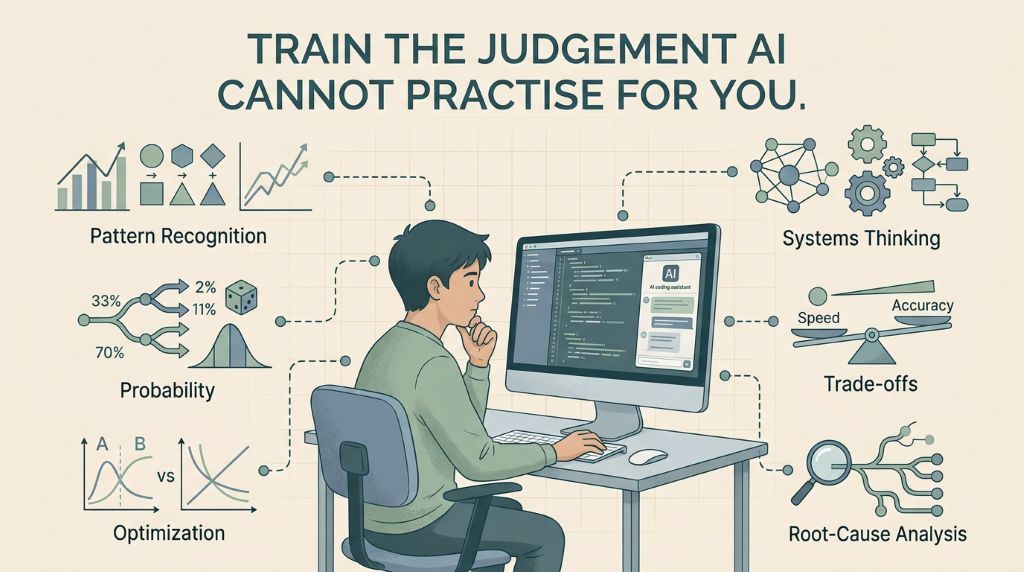
Train The Judgement AICannot Practice For You
AI can reduce the amount of typing needed to build software. That makes the thinking around the code even more valuable. This is why I became interested in applied mathematics, not as pages of formulas to memorize, but as a way to practice judgement through real missions and real decisions.
Pattern recognition helps you notice what is changing. Probability helps you reason when the answer is uncertain. Optimization asks how to improve a result under limits. Systems thinking makes you consider how one decision affects the rest of the project. Trade-offs remind you that the fastest, cheapest, safest, and simplest choices may point in different directions. Decision making turns information into action, while root-cause analysis pushes you past the visible symptom to discover what actually failed.
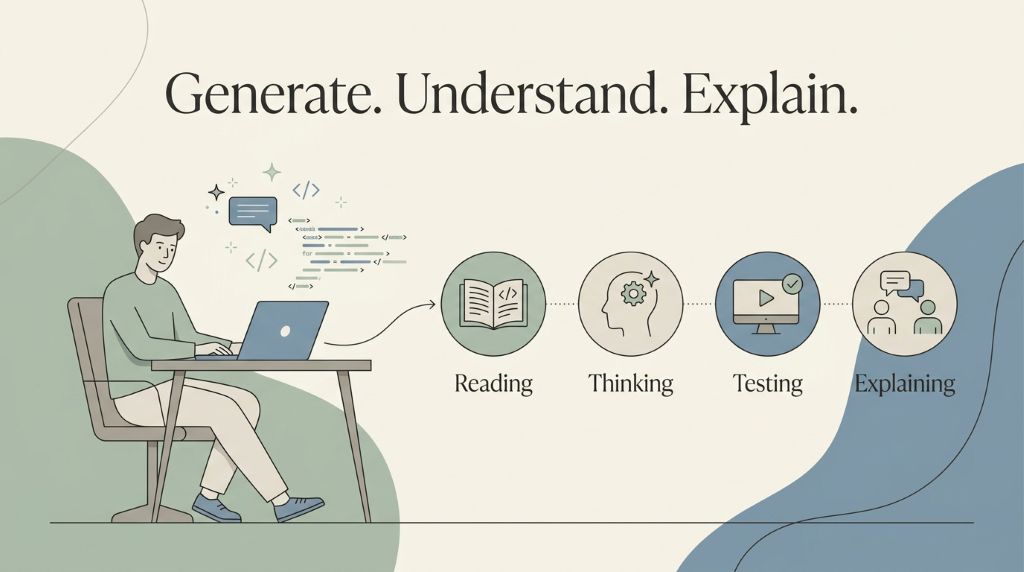
Fig. 4: Train the Judgement AI Cannot Practice for You
The risk of becoming overly dependent on AI is not only forgetting a piece of syntax. It is giving away too many chances to practice attention, recall, judgement, and problem solving. The answer is not to reject AI. It is to use it in a way that keeps those abilities active (i.e. AI coding tools for students). Ask for an explanation before accepting a solution. Predict before you run. Make your own decision before requesting a recommendation. When AI gives an answer, challenge yourself to explain why it makes sense. These habits sound simple, but how can a student turn them into a practical routine without waiting for a first job?
Educational Opportunities: AI coding tools for students
Getting started does not require advanced coding experience or a perfect project idea. Begin with something close to you: a school assignment, an idea you want to explore, a problem you want to solve, a public repository from a reputable company or senior engineer, a project demonstrated by a trusted YouTube mentor, or a certification you are preparing for. The important step is to turn that starting point into active work rather than passive watching.
Build in small sections. Ask questions when a concept is unfamiliar. Test after each meaningful change. At the end of every session, run an ownership check without simply repeating an AI response. Can you explain what the project does? Which files matter most? What changed today? What broke? How did you fix it? What would you improve tomorrow? These questions reveal the difference between finishing a task and actually learning from it.
The same approach can fit school computing subjects, science fairs, coding clubs, open-source communities, cloud or cybersecurity certifications, and personal projects. The goal is not to collect as many unfinished projects as possible. It is to build a smaller number deeply enough that you can read them, debug them, explain them, improve them, and show them. And once that learning becomes visible, a new question appears: what does a project like that tell the person deciding who gets the next opportunity?
Career Path: AI coding tools for students
A visible project tells a different story from a certificate or grade alone. It shows that you can take an idea, work through uncertainty, make decisions, test the result, and finish something another person can inspect. For students interested in software, cloud, cybersecurity, data, AI, robotics, or other technical paths, that evidence can become useful when applying for internships, scholarships, competitions, university opportunities, and eventually entry-level roles.
The strongest portfolio is not necessarily the one with the most projects. A smaller portfolio can stand out when the learner can explain each project clearly: the problem, the architecture, the tools, the failures, the trade-offs, and what changed between the first version and the latest one. That kind of explanation is difficult to fake because it comes from repeated contact with the work. So the real question is not how many projects you can collect. It is what you can still explain, fix, and improve when you return to one tomorrow.
Conclusion: AI coding tools for students
Start with one path that interests you and one project you are willing to return to. It can begin as your own idea, personal or family problem you want to solve, a school assignment, a strong public repository, a tutorial project, or a certification goal. Build it. Question it. Break it safely. Fix it. Explain it. Ship it somewhere others can see. Then come back tomorrow and do one thing better.
That daily return is where the real transformation happens. AI can write the code in seconds. But a learner who keeps reading, testing, debugging, explaining, deciding, and improving can gradually reach the point where the question at the beginning of this article has a confident answer: yes, I can explain it.
References:
Groothuijsen, S., van den Beemt, A., Remmers, J. C., & van Meeuwen, L. W. (2024). AI chatbots in programming education: Students’ use in a scientific computing course and consequences for learning. Computers and Education: Artificial Intelligence, 7, 100290. https://doi.org/10.1016/j.caeai.2024.100290
Ogunleye, B., Zakariyyah, K. I., Ajao, O., Olayinka, O., & Sharma, H. (2024). A systematic review of generative AI for teaching and learning practice. Education Sciences, 14(6), 636. https://doi.org/10.3390/educsci14060636
The article offers a timely perspective on using AI as a learning assistant rather than a replacement for programming skills. Its emphasis on debugging, independent thinking, and project-based learning is valuable for students. Please ensure technical explanations are accurate and practical recommendations are clearly supported.
Editorial note
As AI becomes an increasingly common part of programming, understanding the code behind the output matters more than ever. This article encourages students to develop independent thinking, problem-solving, and practical coding skills while using AI as a learning partner rather than a shortcut.
Samuel Jesse is an international student in Adelaide, South Australia, and is building LoWisa.dev, a practical AI tutor shaped by the learning barriers explored in this article. He is an ANZ Regional Champion in AWS 10K AIdeas 2025, a Global Top 20 finalist, twice AWS Certified, and ITIL 4 certified. His current focus is helping learners stay actively involved as they build, understand, debug, improve, and ship real software.