A course can have a promising title and still assume coding skills you haven’t learned or focus on business decisions rather than school projects. Before enrolling, decide what you want to do and check whether the course fits your skills and school schedule.
Choose a task. Pick one thing you want to understand, use or build.
Inspect the practice. Look at a sample exercise and how it’s assessed.
Check the full commitment. Confirm the time, access requirements and total cost before paying.
AI learning splits into three rough paths. Understanding AI means learning how a model makes a prediction and where it fails. A school example might be explaining why a photo app labels a cat as a dog. Using existing tools means practicing prompting and fact-checking for a geography project.
Building with code means writing a small program, such as a spam detector trained on made-up messages. Not every path needs code, and plenty of non-coding AI roles depend on understanding and using AI well. Each path points to a different course, so write your goal in one sentence before comparing options.
Treat each failed attempt as information about what to improve next; that habit makes practice far more useful.
Your starting point.
An introductory title doesn’t guarantee a beginner course. Harvard’s CS50 Introduction to Artificial Intelligence with Python lists CS50x or at least one year of Python experience as its prerequisite. Its Introduction to Computer Science and Introduction to Programming with Python courses list no prerequisites. If you haven’t learned basic programming yet, consider starting there.
For free starting points, the University of Helsinki says studying its Artificial Intelligence Collection costs nothing. IBM SkillsBuild also offers free learning content for high-school students.
Read the stated audience before the course title. A course written for business leaders, for example, may need no coding at all but will focus on company decisions rather than school projects. Confirm age rules and account requirements with a parent or teacher before enrolling in any course.
Look for Work You Can Explain
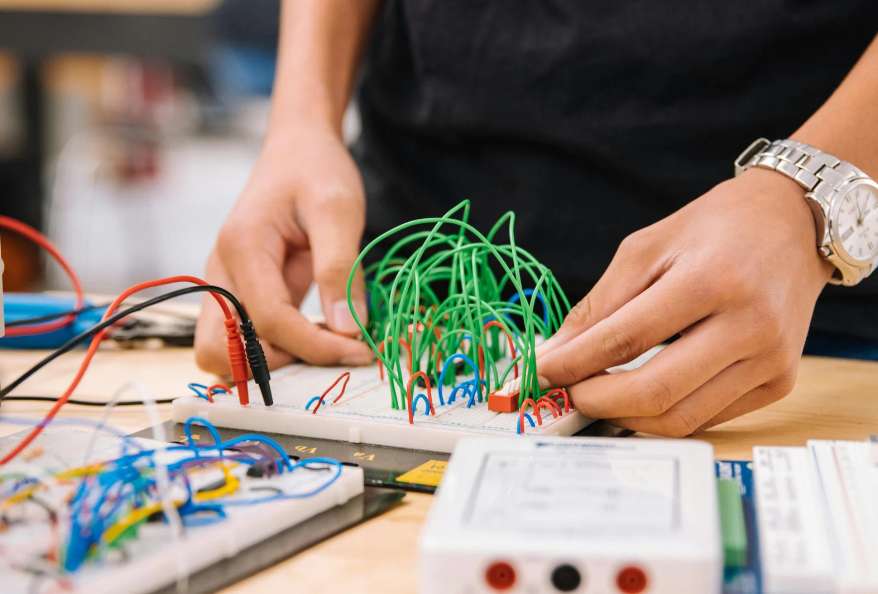
Fig. 1: STEM Learner AI Coding
Inspect a sample task.
Look for a real lesson, an exercise and a description of how work is assessed. Choose work you could show and explain to a teacher. For example, a lesson might ask you to compare two AI-generated explanations of photosynthesis, mark unsupported statements and write corrections in your own words. This gives you practice checking AI output. Vocabulary quizzes can test definitions, but look for an activity that applies them too.
Find out who helps.
Ask who responds when you’re stuck. Feedback might come from a teacher, other learners or automated checks; some courses offer none. If you’re considering a self-paced course without feedback, decide how you’ll check your work and get help. The course page should explain what support is available.
Check responsible use.
The 2026 OECD and European Commission AI literacy framework for primary and secondary education includes evaluating AI use and AI-generated content for accuracy, fairness and bias. Look for exercises that practise those checks. Use non-sensitive material, such as a made-up dataset rather than classmates’ names, and follow your school’s rules on AI in homework.
Read the listing format.
Professional course catalogues show what a clear listing looks like. London TFE’s artificial intelligence training for professionals is set out as standalone short courses in classroom, online or blended formats, with entry requirements that vary by course level. Those programmes are built for working professionals rather than school students. Still, a listing that states format and entry requirements this plainly is the standard to hold any course to.
Use these four lines to compare the practical work:
A concrete task I can describe in one sentence
Someone or something that gives feedback
A clear way my work is assessed
A result I can explain to someone who hasn’t seen the course
Check the Full Commitment Before Enrolling
Time and access.
Check how many hours of weekly study and practice the course expects, and whether that fits alongside homework. Find out whether sessions run at fixed times and in which time zone. Check device requirements, accessibility options such as captions, and whether your access expires.
The real cost.
Separate free resources, limited previews, subscriptions and individually priced courses when comparing costs. Helsinki’s collection and IBM SkillsBuild offer free study. Coursera’s free preview covers the first module of nearly every course, so it lets you sample the work without giving you access to the whole course.
Subscriptions keep charging until cancelled. Google states that AI Essentials costs $49 USD per month in the US and Canada after a seven-day free trial. That regional price isn’t a universal fee, and your total depends on how long you subscribe.
If a syllabus names specific AI tools, that doesn’t mean their subscriptions or software licences are included in the course price. Ask about any separate access costs. A “from” price on a listing is a starting figure, not a final total, so check whether taxes or other fees apply. A parent or teacher should confirm eligibility and purchase terms directly before booking. Compare school-focused AI options by audience, format and cost before choosing.
AI Courses for STEM Learners: Conclusion
For each option, record the total expected cost, access period and any unanswered questions about accounts or payment. Resolve those questions before committing.
FAQs: AI Courses for STEM Learners
Do I need to know Python first?
It depends on the specific course. Harvard’s CS50 AI course requires CS50x or at least a year of Python experience, while its introductory computer science and Python courses list no prerequisites. Check the prerequisites before choosing.
Can I start without paying?
Yes. Helsinki’s collection and IBM SkillsBuild are free to study. A Coursera preview covers only the first module, so treat it as a sample.
How much study time should I set aside for AI course?
Check the stated weekly workload for the AI course and whether it includes exercises. Allow time to revisit mistakes, and choose a schedule you can manage alongside school.
Is a certificate enough to show what I learned in the AI course?
A certificate may record completion; project files can show how you worked in AI course. Keep notes on your choices, mistakes and corrections so you can explain how you reached a result.
Deven Nandapurkar is a Software Engineer, Project Lead; working at the strategic intersection of software engineering, productivity science, and emerging technologies. Driven by a core philosophy of "building things worth building," he leads cross-functional teams and drives end-to-end technical strategy—from early-stage conceptualization through production-grade deployment.
A Computer Engineering graduate from Pune University, Deven brings a sharp systems-thinking approach to technical leadership, honed by years of managing high-stakes engineering projects and leading teams to top placements in national and international hackathons, including the NASA Space Apps Challenge and the Peerlist GenAI Hackathon.
Deven explores how human cognition and emerging technology converge. He regularly writes about cognitive performance optimization, attention management, AI integration, and the evolving dynamics of the modern workforce - offering actionable frameworks for professionals seeking to maximize their productivity and thrive alongside intelligent systems.
Deven Nandapurkar is a Software Engineer, Project Lead; working at the strategic intersection of software engineering, productivity science, and emerging technologies. Driven by a core philosophy of “building things worth building,” he leads cross-functional teams and drives end-to-end technical strategy—from early-stage conceptualization through production-grade deployment.
A Computer Engineering graduate from Pune University, Deven brings a sharp systems-thinking approach to technical leadership, honed by years of managing high-stakes engineering projects and leading teams to top placements in national and international hackathons, including the NASA Space Apps Challenge and the Peerlist GenAI Hackathon.
Deven explores how human cognition and emerging technology converge. He regularly writes about cognitive performance optimization, attention management, AI integration, and the evolving dynamics of the modern workforce – offering actionable frameworks for professionals seeking to maximize their productivity and thrive alongside intelligent systems.