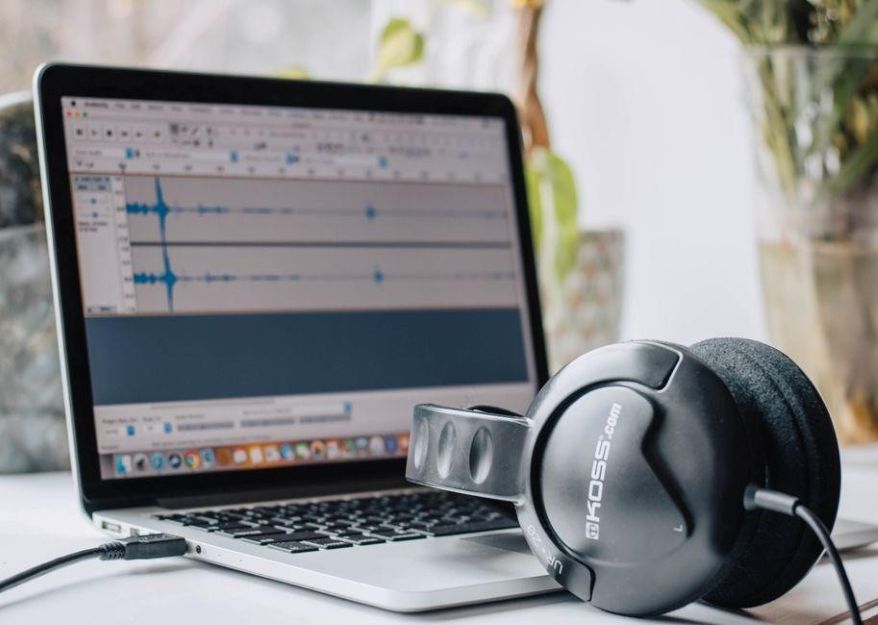
Recording a conversation is the easy part. Finding the one useful detail buried somewhere between the introductions and the closing remarks is where your afternoon starts disappearing. Whether you are working with interviews, lectures, meetings, or voice notes, collecting audio only gets you halfway there.
Transcription makes that material easier to search, review, and put to work. Open-source tools add another consideration: how much control you want over the software and the information passing through it. The right setup should help you spend less time replaying conversations and more time doing something useful with them.
Start With the Task, Not the Feature List
Dictating an email, transcribing a long interview, and preparing timed captions are different jobs. Before comparing tools, decide what you need the finished text to do.
For people exploring open source audio transcription, OpenWhispr offers dictation, meeting transcription, and recorded-audio transcription, with on-device and cloud processing options. That provides several ways to turn speech into text, whether you are composing something new or working with an existing recording.
Your priorities should follow the task. Interview work may call for timestamps and speaker labels. Study notes may need straightforward editing and search. Video work may require caption exports that fit your editing software.
Check those details before committing. A long feature list is less useful than a short list of functions that work exactly where you need them.
Open Source Means More Than a Free Download
“Open source” describes how software is licensed, not simply how much it costs. It gives people rights to inspect, use, modify, and redistribute the code under the license’s terms. Understanding what open-source licensing actually allows helps separate genuine openness from a label that just sounds reassuring.
You do not need to become a developer to care about that distinction. A technical team can assess or adapt the software rather than treating every feature as something only the original provider can change.
Still, openness is not a guarantee of perfect accuracy, automatic privacy, or unlimited free services. It gives you more room to make choices. You still need to check whether those choices suit your work.
Follow the Audio—and the Text
Open-source and offline are not interchangeable. On-device transcription processes audio on your computer, while cloud transcription sends it to a remote service. Some applications offer both and use separate settings for dictation, meeting recordings, and imported files.
That distinction matters when recordings contain client information, unpublished interviews, or internal discussions. Check the processing settings for the feature you will actually use, not just the first privacy option you notice.
Look beyond the audio, too. Automated text cleanup, summaries, sharing, and backups can introduce additional processing or storage steps. Keeping the recording on your computer does not, by itself, establish where the resulting text goes afterward.
Before recording others, make sure they understand what you are capturing and how it will be used. For work material, follow your organization’s approval and storage requirements rather than assuming the default settings are suitable.
Test the Audio You Actually Have
A polished demonstration tells you how a tool performs under the conditions chosen for that demonstration. Your recordings deserve their own test.
Try a short sample that includes the names, terminology, pauses, and background sounds you normally encounter. If you regularly record group conversations, include a section where people interrupt each other. There is little value in testing a flawless monologue when your weekly meetings sound nothing like one.
Then measure the whole task: processing, reviewing, correcting, and exporting. Notice whether speaker labels stay consistent, important terms survive intact, and the output is easy to edit.
The best result is not necessarily the one that appears first. It is the one that gets you to trustworthy, usable text with the least additional work.
Treat the First Audio Transcription as a Draft
Readable text can still be wrong. Research has documented speech-recognition systems producing words and sentences that were never spoken, rather than merely misspelling what they heard. That makes checking transcripts against the original recording especially important before publishing a quotation or relying on a sensitive detail.
Start with names, dates, amounts, technical terms, and short words that change the meaning. “We can approve it” and “we can’t approve it” look almost identical on the page. They are considerably less interchangeable in a meeting record.
When a passage is unclear, flag it instead of quietly guessing. Keep a checked transcript separate from any rewritten version, particularly when you need an accurate record of what someone said.
Polishing a sentence is editing. Changing its meaning is a problem.
Count the Work, Not Just the Subscription
On-device transcription can avoid usage-based cloud charges, but it still relies on your hardware. Models need storage, and processing speed depends on both the model and the computer running it. Cloud options shift that processing elsewhere and may involve subscriptions or usage charges.
Compare the complete setup rather than stopping at the download price. Consider installation, updates, storage, support, export options, and the time needed to correct results.
Test on the device you will actually use. An impressive demonstration on powerful hardware does not tell you whether the same setup fits your everyday computer.
A free tool that repeatedly interrupts your work may be poor value. Equally, there is little reason to pay for features you do not need when a simpler setup already handles the job.
Give the Finished Transcript a Purpose
Once the text is checked, decide what should happen next. Otherwise, you have simply replaced an audio file you rarely open with a document you rarely open.
For a meeting, pull out decisions, responsibilities, and deadlines. For a lecture, organize the material by topic and mark questions to revisit. For an interview, identify useful quotations and retain timestamps so you can return to the recording when needed.
Keep filenames consistent and distinguish the original output from the reviewed transcript and any summary. Store sensitive material in approved locations, with access limited to the people who need it.
An automated summary should come after verification, not replace it. A shorter version of an inaccurate transcript is still inaccurate—just more convenient to misunderstand.
Choose a Setup That Earns Its Place
The value of transcription is not how much text it produces. It is how much useful work that text helps you complete.
Choose a tool that fits your recordings, your device, and your privacy requirements. Test it on realistic material, review the details that matter, and make sure the output moves easily into whatever comes next.
Open-source software can give you meaningful choices about how that process works. The goal is to use those choices well—not to spend your newly saved time managing another complicated tool.
Your recordings already contain the ideas. A good transcription workflow helps you find them, trust them, and put them to use.
Additionally, to stay updated with the latest developments in STEM research, visit ENTECH Online. Basically, this is our digital magazine for science, technology, engineering, and mathematics. Further, at ENTECH Online, you’ll find a wealth of information.
Zyana Morris is an educational blogger passionate about sharing insightful resources and practical tips for teachers, students, and parents. With a background in education, she focuses on enhancing learning experiences through technology, creative strategies, and personal development, helping others thrive in their educational journeys.
Zyana Morris is an educational blogger passionate about sharing insightful resources and practical tips for teachers, students, and parents. With a background in education, she focuses on enhancing learning experiences through technology, creative strategies, and personal development, helping others thrive in their educational journeys.