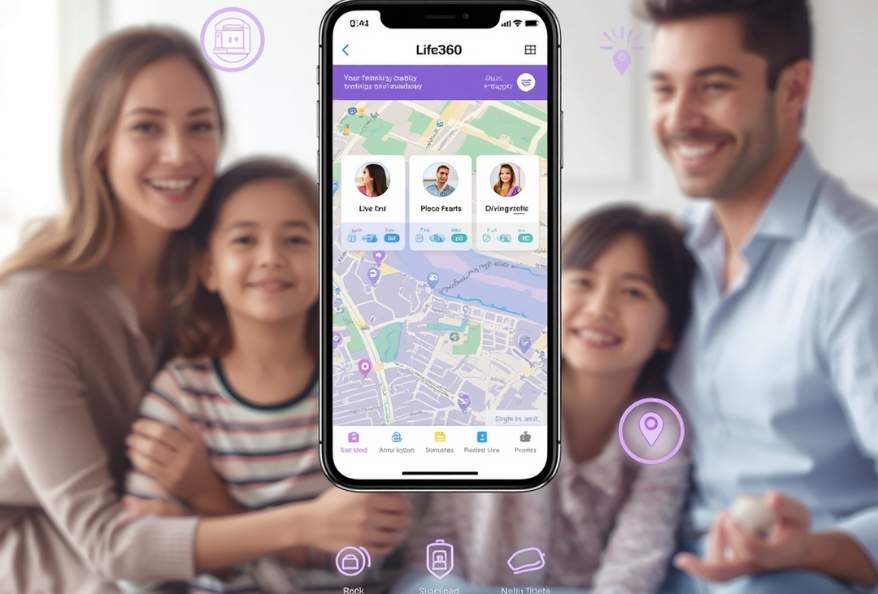
Life360 helps families stay connected with real-time location sharing, place alerts, driving reports, and emergency SOS features across Android, iOS, and web platforms.
Life360 App: Smart Family Safety & Location Sharing Tool
Estimated reading time: 4 minutes
Many parents want to stay connected with their children without making constant phone calls or sending repeated messages. Safety concerns also increase when kids travel alone or spend long hours away from home. For this reason, the Life360 app has become a practical tool for modern families. The Life360 app helps parents track locations, receive alerts, and stay informed in real time. As a result, families feel safer, more connected, and less stressed throughout the day.
This family safety platform helps parents monitor locations, receive alerts, and stay informed in real time. As a result, families can feel safer and more connected throughout the day.
What Is Life360?
To begin with, Life360 is a family safety and location-sharing service designed to help loved ones stay connected securely. Instead of texting repeatedly to check locations, parents can quickly see where family members are through the app.
The platform works on Android, iOS, and web browsers, making it accessible across multiple devices.
Some of its core functions include:
- Live family location sharing
- Place alerts for home, school, or other locations
- Driving behavior reports
- Emergency SOS notifications
- Recent location history
Overall, the app combines communication and safety tools in one place.
Why Families Use Life360
In today’s busy world, coordinating schedules and ensuring safety can become difficult. As a result, the Life360 app has become especially useful for modern families.
Real-Time Location Sharing
First and foremost, one of the biggest advantages is live tracking. Parents can quickly check whether children reached school, tuition, or other destinations safely. With this in mind, families feel more connected throughout the day.
Place Notifications
In addition, the app sends alerts whenever a family member arrives at or leaves saved places. Because of this, parents no longer need to constantly ask for updates. At the same time, children can travel more independently.
Driving Safety Reports
Moreover, the platform offers driving insights such as speed monitoring and phone usage while driving. As can be seen, these reports encourage safer driving habits for teenagers. In fact, parents can discuss risky behavior before problems occur.
Emergency SOS Support
Most importantly, safety tools become valuable during emergencies. The built-in SOS feature allows users to quickly notify family members when urgent help is needed. As a result, families gain additional peace of mind.
Recent Location History
The app also stores limited location history, allowing families to review recent movements if necessary. In short, this feature helps parents stay informed without making constant calls or messages.
How to Use the Life360 App Effectively
Families can improve their experience by following a few simple practices. To begin with, parents should discuss safety and privacy openly with children.
Create Private Family Circles
First, organize members into private circles so information stays secure and easy to manage.
Save Important Locations
Add places such as home, school, workplaces, and tuition centers. This makes alerts more helpful and organized.
Check Driving Reports Regularly
Parents can review weekly driving summaries to encourage responsible driving habits.
Enable Emergency Features
Make sure all family members activate SOS settings for better emergency preparedness.
Discuss Privacy Clearly
Location sharing works best when families communicate openly about expectations, privacy, and safety.
Free Life360 Apps for Android, iOS, and Web
At the present time, the Life360 App offers free access across major platforms.
Android Life360 App
The Android version supports live tracking, alerts, and driving reports.
Key features include:
- Live location sharing
- Place alerts
- Driving reports
- Emergency support
iOS and iPad Life360 App
On iOS devices, families can manage safety alerts and location tracking easily.
Key features include:
- Real-time tracking
- Place notifications
- Emergency SOS
- Limited location history
Life360 Web Platform
The web platform allows users to access family information through a browser.
Key features include:
- Family location overview
- Alerts and notifications
- Account management
Who Should Use the Life360 App?
Clearly, the Life360 App is useful for:
- Parents with school-age children
- Families coordinating travel schedules
- Guardians focused on child safety
- Teen drivers and their parents
For families looking for better communication and peace of mind, this platform can be a useful solution.
Final Thoughts on Life360 App
In conclusion, Life360 helps families stay informed and connected through real-time safety features and location sharing. By combining communication tools with emergency support, it simplifies everyday family coordination.
Most importantly, the platform gives parents added peace of mind while helping loved ones stay connected wherever they are.
Additionally, to stay updated with the latest developments in STEM research, visit ENTECH Online.
- Author
- Latest Posts

Kottauppari Venkat Raghava
I am an Information Technology graduate (B.Tech) and a technology writer specialising in artificial intelligence, robotics, automation, and space technologies. I analyse complex scientific research and convert it into clear, practical insights for students, tech enthusiasts, and professionals. My work bridges the gap between academic research and real-world understanding by simplifying findings from peer-reviewed journals into engaging, easy-to-follow content. Alongside my writing, I have hands-on experience developing real-world projects, showcased on my GitHub, including an Expense Tracker web application for managing and visualising spending, and a Simple Video Summariser that generates concise insights from video content using automation techniques. I also produce research-driven articles on topics such as AI-powered corrosion detection, deep learning in engineering, and advanced automation systems. I follow a research-driven approach, ensuring every article is grounded in verified sources, industry knowledge, and practical applications. My goal is to make advanced technology accessible and meaningful, helping readers stay informed about innovations shaping the future.