Understand binary code in computing and how it underpins all operations from commands to data storage in digital devices.
Why You Should Understand Binary Code Before Anything Else in Computing
Estimated reading time: 6 minutes
Did you know? Understanding computing goes beyond simply using different applications and software. It requires grasping a deep understanding of the fundamental language that powers every digital device. We are talking about binary code.
Every computer operation, from understanding and processing commands to storing data, boils down to sequences of 0s and 1s. Without a solid grasp of binary language, learning the basics of computing will remain incomplete.
In this blog post, we are going to explain what exactly binary code is and how you can master it by following the best practices.
What is Binary Code?
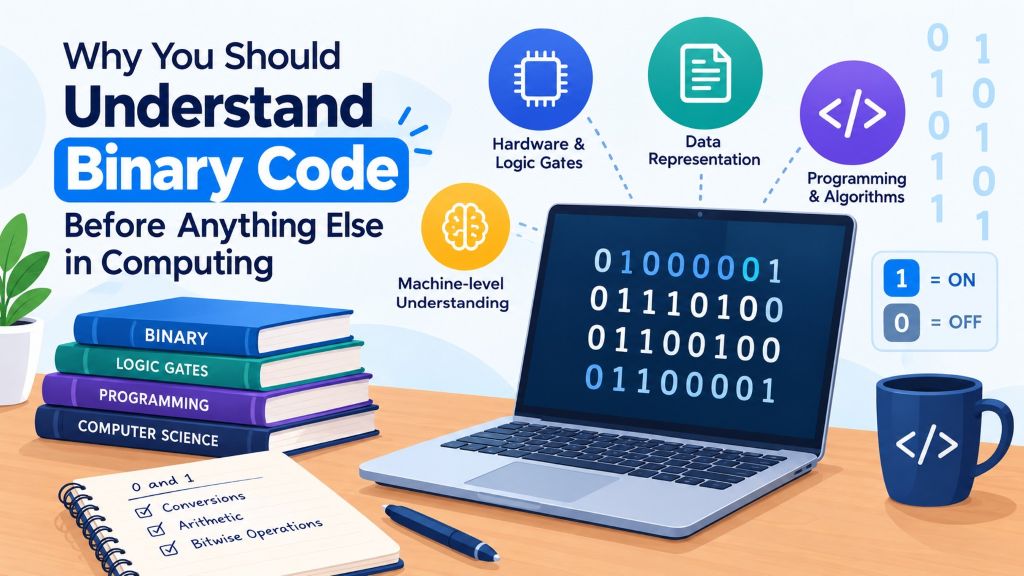
Binary code is the fundamental system that computers use to both process and store data. It consists of only two digits: 0 and 1. Zero represents OFF, whereas 1 represents ON.
Everything in computing, from image to text, and sound to video, is processed and stored in binary code. For instance, if you process “A,” then its binary code will be “01000001.” The lengthier the information, the longer the binary code. But don’t worry, computers can process them within a matter of seconds.
Now, let’s move on to our next section.
Key Reasons to Learn Binary Code Before Anything Else in Computing
There are a number of reasons why binary code is considered essential for learning the basics of computing. Some of the major ones are discussed below.
1. It Empowers Machine-level Understanding
Most of you may know that machines or computers can’t comprehend human language or even algebraic symbols. Every command you provide to a system is first translated into binary code and is then processed to perform the required action.
So, by understanding how exactly your given command is translated, binary code can help you better grasp computer programs and hardware at the core level.
2. It Helps Understand Data Representation
All types of data, whether it is plain text, audio, video, etc., are stored in binary code. Learning it will help you understand how exactly data is encoded, manipulated, and stored in computers.
For instance, in plain text files, all the characters or letters are stored using binary-encoded characters such as ASCII (American Standard Code for Information Interchange) and sometimes using Unicode. Audio files, i.e., MP3 and WAV, convert sound waves into digital signals using binary-encoded samples.
Without understanding this language, it will become really difficult to comprehend data structures, compression techniques, etc. These are the most important concepts of computing.
3. It Strengthens Logic Gates & Circuitry Concepts
At its core, computer hardware works on Boolean logic – which is solely based on the binary system. The fundamental components of every computer’s processor, memory, and control units are actually logic gates.
These gates work on binary inputs to perform computations. Apart from this, logic gates, RAM, hard drives, and even SSDs process and store data using binary-encoded signals. This results in effective data management and retrieval.
Understanding binary logic will help learners familiarize themselves with how computers process instructions, execute programs, and manage memory at the hardware level.
4. It Helps Master Programming & Algorithms
Many popular programming languages, especially C, Python, Java, etc., still make use of bitwise operators to manipulate binary values efficiently. Besides this, cryptographic techniques such as AES, RSA, and many more also rely on binary language for efficient transformations of data.
Therefore, by mastering binary codes, learners can get deeper insights into how exactly a program or software interacts with hardware.
After going through all these points, we now think you will have a clear idea of why it is important to first learn binary language to understand computing basics.
How to Master Binary Code – Best Practices to Follow
Here are some of the most proven practices that can be adopted to learn binary code.
1. Learn & Practice Different Binary Conversions
First of all – you have to learn about the different binary conversions. This language can be converted into multiple formats, including:
- Text
- Decimal
- Hexadecimal
- Octal
Each form requires a different conversion approach. For instance, if you want to transform binary code into text, then here is the approach that should be followed.
- First, divide the binary code into groups of 8 bits, with each bit represented by a binary digit (0 or 1)
- Convert each set into decimal using this formula: (1×27)+(0×26)+(0×25)+(0×24)+(1×23)+(0×22)+(0×21)+(0×20)
- Once you have the numeric value for each 8-bit set, compare each value with the ASCII chart to identify the corresponding character. ASCII values range from 0 to 127 (in decimal). If the binary data represents text beyond this range, it may use an encoding such as UTF-8, in which case the complete sequence of bytes must be interpreted according to that encoding.
That’s it!
Now, the question is: how can you validate whether your conversion is accurate or not? The easiest method for this is to utilize an online binary translation tool. Such a tool helps you perform binary conversions in all forms listed above.
Enter your binary code into it, convert it into different forms (i.e., text and match the tool’s output with your version to determine whether you have done the conversion correctly or not. We are also attaching a screenshot of one such binary translator below.
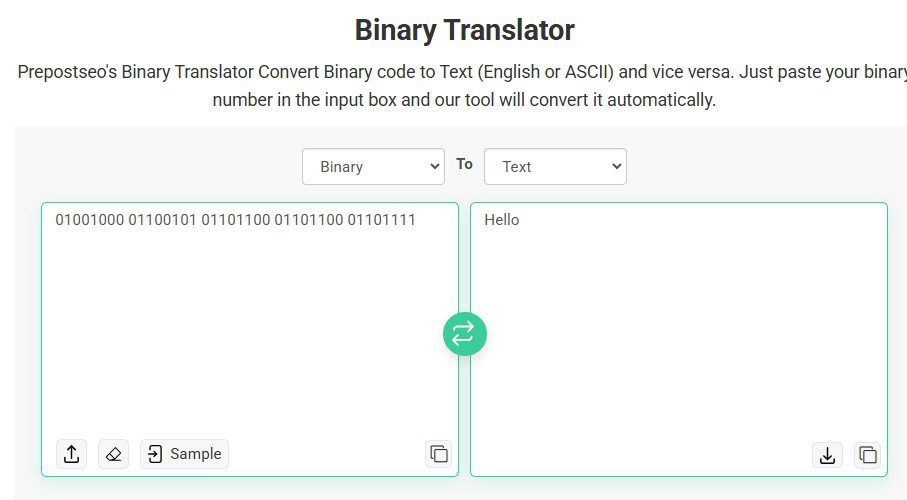
Source: https://www.prepostseo.com/tool/binary-translator
Practice binary conversion in different forms regularly, and you will soon have a strong understanding of these numbers.
2. Master Binary Arithmetic
Binary numbers can also be used to perform arithmetic operations such as addition, subtraction, division, multiplication, etc. It is important to note that these operations are fundamental for understanding how exactly a computer performs calculations at the lowest level.
Let’s start with addition first; here is the approach:
0 + 0 = 0
0 + 1 = 1
1 + 0 = 1
1 + 1 = 10 (write 0 and carry 1)
Example:
1011
+ 1101
11000
3. Explore Bitwise Operations:
This is yet another approach to mastering binary code. Exploring bitwise operations will help you grasp a better understanding of low-level programming, data encryption, etc. They allow you to manipulate individual bits or groups of bits directly. They are commonly used for tasks such as setting flags, masking data, and performing certain low-level optimizations.
Some of the common bitwise operations are:
- AND
- OR
- XOR
- NOT
- Right shift and Left Shift
Each operation has a different approach. For instance, the AND operation compares two bits and returns only 1 if both bits are 1.
Final Words: Binary code in computing
Every digital device, including computers, mobile phones, calculators, etc., operates in binary numbers. It works with only two digits: 0 and 1. So, if you are planning to learn the basics of computing, it is important to first strengthen your grip on this language. In this blog post, we have discussed every possible detail about this; hopefully, you will find the given information valuable.
Edited by Mohini Modak
Note: The article includes external links to third-party services; readers should independently evaluate any referenced platforms before engaging.
- Author
- Latest Posts

Deven Nandapurkar is a Software Engineer, Project Lead; working at the strategic intersection of software engineering, productivity science, and emerging technologies. Driven by a core philosophy of “building things worth building,” he leads cross-functional teams and drives end-to-end technical strategy—from early-stage conceptualization through production-grade deployment.
A Computer Engineering graduate from Pune University, Deven brings a sharp systems-thinking approach to technical leadership, honed by years of managing high-stakes engineering projects and leading teams to top placements in national and international hackathons, including the NASA Space Apps Challenge and the Peerlist GenAI Hackathon.
Deven explores how human cognition and emerging technology converge. He regularly writes about cognitive performance optimization, attention management, AI integration, and the evolving dynamics of the modern workforce – offering actionable frameworks for professionals seeking to maximize their productivity and thrive alongside intelligent systems.