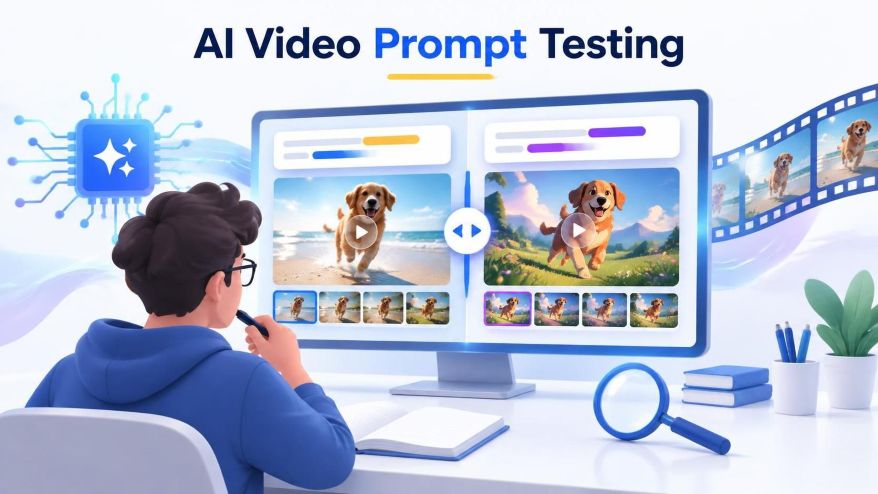
Explore how changes to AI video prompts affect generated videos through a STEM investigation involving controlled variables, observations, scoring, and evidence-based conclusions.
Two AI-generated videos can begin with the same idea and still look different. One might follow the requested camera movement, while another changes the subject or adds an unexpected detail. That makes video generation an interesting setting for a small STEM investigation. Instead of asking whether a clip looks impressive, a learner can ask a narrower question: what changes when one part of the instruction changes?
The goal of evaluating an AI Video Prompt is to practise experimental thinking, not to prove that one model is universally better than another. A small project can teach useful habits: define a question, control what you can, record observations, and separate evidence from interpretation. The finished videos are materials for that investigation. They are not measurements of the real world, even when their appearance is convincing.
A tool such as seedance 3.0 provides text-to-video and image-to-video workflows that can supply examples for this kind of exercise. Start with an original drawing or a simple invented scene. Choose a model and settings appropriate to the task, and keep a written record of them. The exercise below concerns how to compare outputs; it does not assume access to a model’s internal workings.
AI Video Prompt: Ask a question you can actually observe
“Can AI make a good video?” is too broad for a small investigation. Different viewers may mean different things by good: realistic lighting, accurate movement, attractive colors, or an interesting story. A more useful question is whether an explicit camera instruction changes the apparent camera motion. That gives the learner something specific to look for when comparing clips.
Consider a hypothetical scene containing a red toy car on a plain table. One description asks for the car to move slowly forward. A second asks for the same action while explicitly requesting a stationary camera. The comparison concerns the added camera instruction. It does not establish whether the generated car behaves like a real mechanical system, and it does not require a complicated setting.
Write down a prediction before generating anything. For example: adding the stationary-camera instruction may reduce unwanted viewpoint changes. A prediction is useful because it makes the original expectation visible. If the results do not match it, that is still information. Changing the prediction after seeing the outputs would make the exercise less informative.
Separate the changed instruction from the fixed settings
Make two AI video prompt versions that differ only in the phrase being investigated. Keep the model, aspect ratio, duration, and available quality settings the same. If a reference image is used, use the same file for both versions. Changing several things at once makes it harder to explain what might have contributed to an observed difference.
These controls do not eliminate every source of variation. Generative systems can produce different outputs even when visible settings are unchanged. The website may not expose every parameter, and a learner should not invent values for hidden settings. Record what is visible and acknowledge what cannot be controlled. That boundary is part of an honest method, not a reason to abandon the project.
Set a modest limit on the number of outputs before starting, taking account of the service’s age requirements, account permissions, and credit costs. Repeated attempts can consume a budget quickly. A small exploratory exercise should have a clear stopping point. If access is limited, existing permitted examples can support observation practice, although they provide weaker control over how the clips were created.
Define a scoring guide before viewing the results
A simple guide can be more useful than a complicated overall rating. For camera movement, possible categories are clearly stationary, clearly moving, and uncertain. For the requested subject action, categories might be completed, partly completed, and not visible. Keep these observations separate. A clip can satisfy the camera instruction while failing to show the requested movement of the car.
Describe how those categories will be applied. A change in the car’s position is not automatically evidence that the camera moved. Look for changes in the background, framing, or perspective that suggest a viewpoint change. If the plain background makes that impossible to judge, mark the case uncertain rather than forcing an answer. The next investigation could use a background with clearer reference points.
Keep a notes column for unexpected events: the car changes color, a second object appears, or the action is obscured. These observations should not silently change the original scoring rules. They may suggest a useful follow-up question, but the first comparison should remain tied to the question that was chosen at the start.
Compare a small set without selecting only favorites
Label every output and include it in the record, including unsuccessful or unattractive ones. Choosing only the nicest clip from each AI video prompt creates a misleading comparison. If a generation attempt fails to return a video, record that separately from a clip that returns but does not follow the instruction. These are different outcomes and may have different causes.
When practical, ask a second person to score the clips without knowing which prompt produced each one. This can reduce the influence of expectations, although it does not make the judgment perfectly objective. Compare disagreements afterwards. If one observer sees camera movement and another does not, the scoring guide may need clearer examples or the scene may be difficult to evaluate.
Summarize counts before making claims. For example, a report might state how many clips in each group were judged stationary and how many were uncertain. Use the actual results; do not insert invented numbers to make the project look complete. With only a few outputs, a difference is a clue worth investigating, not strong evidence of a dependable general rule.
Keep a generated scene separate from a simulation for AI Video Prompt
A realistic-looking clip does not necessarily obey physical laws. An object may accelerate oddly, change shape, or move through a surface. For a physics lesson, compare a generated depiction with measured footage or a suitable mathematical model rather than treating it as evidence. The visual plausibility of an event and the correctness of its mechanics are separate questions.
This distinction makes a useful discussion for AI video prompt. What would need to be measured to decide whether the motion was physically accurate? Would frame timing, distance calibration, and a stable viewpoint be available? Asking these questions helps learners understand why an attractive animation alone cannot establish a scientific result.
A shared worksheet also makes the investigation easier to discuss. Give each clip an identifier and keep the observations beside it, so classmates can revisit the same example instead of relying on memory or a description in a chat message.
Write a conclusion that matches the evidence
A short report can contain the question, prediction, two prompt versions, visible settings, scoring guide, observations, and limitations. State what happened in this particular comparison before suggesting an explanation. Avoid claiming that the model understood an instruction in the same way a person would. Output behavior can be observed; an internal explanation requires different evidence.
Finish with one follow-up that addresses a weakness in the first attempt. Perhaps the scene needs clearer background markers, more repeated outputs, or a simpler subject action. Change that element deliberately and keep the records from both rounds. The most valuable outcome is not a perfect clip. It is a clearer understanding of how to ask a testable question and how cautiously to interpret an answer.
FAQs: AI Video Prompt Testing
1. What is AI video prompt testing?
AI video prompt testing involves changing specific instructions and comparing the generated videos to understand how prompts affect the outputs.
2. How can you test different AI video prompts?
Create two prompt versions that differ in only one instruction, keep the available settings consistent, and compare the resulting videos.
3. Why should variables remain consistent when testing AI video prompts?
Keeping settings such as model, duration, aspect ratio, and reference images unchanged helps identify the possible effect of the modified instruction.
4. How can students evaluate AI-generated videos?
Students can use a predefined scoring guide to record observations about camera movement, subject actions, and unexpected changes.
5. Can AI-generated videos be used as scientific evidence?
No. AI-generated videos can support observation and discussion, but their visual appearance does not prove that an event follows real-world physical laws.
References:
Van Nguyen, H., & Duong, M. T. T. (2026). AI-Generated Video in Education: A scoping review of technologies, pedagogical applications, benefits, and challenges. IEEE Access, 14, 111696–111714. https://doi.org/10.1109/access.2026.3715230
Netland, T., Von Dzengelevski, O., Tesch, K., & Kwasnitschka, D. (2024). Comparing human-made and AI-generated teaching videos: An experimental study on learning effects. Computers & Education, 224, 105164. https://doi.org/10.1016/j.compedu.2024.105164
Pellas, N. (2025). The impact of AI-Generated instructional Videos on Problem-Based Learning in Science Teacher Education. Education Sciences, 15(1), 102. https://doi.org/10.3390/educsci15010102
Hrutanshu Kurankar is a Computer Engineering graduate from Marathwada Mitra Mandal’s College of Engineering, Pune. His interests span artificial intelligence, machine learning, cybersecurity, data science, and science communication. He enjoys exploring how emerging technologies work and translating complex technical concepts into clear, accessible explanations for students and young audiences.
His practical experience includes developing FlashCTI, a Retrieval-Augmented Generation (RAG) system for cyber threat intelligence and log analysis, exploring privacy-focused browser extensions, and building machine learning applications. His technical background includes Python, data analysis, machine learning frameworks, web development, vector databases, and cybersecurity tools. Through these projects, he has developed an interest in applying technology to real-world problems and making technical knowledge easier to understand.
Hrutanshu is associated with ENTECH STEM Magazine, where he contributes to science communication and editorial initiatives, including research outreach and activities supporting the Machine Learning Special Issue 2026. His work involves connecting with potential contributors and academic reviewers to encourage participation in STEM research and knowledge sharing. As a science communicator, he aims to bridge the gap between complex scientific ideas and everyday understanding through relatable examples, clear writing, and evidence-based explanations. He is particularly interested in making science and technology engaging and accessible to the next generation of learners.