Learn about WhatsApp usernames, a new way to connect while maintaining privacy. Update your identity on the app today.
WhatsApp Usernames Are Finally Here—Reserve Yours Before Someone Else Does!
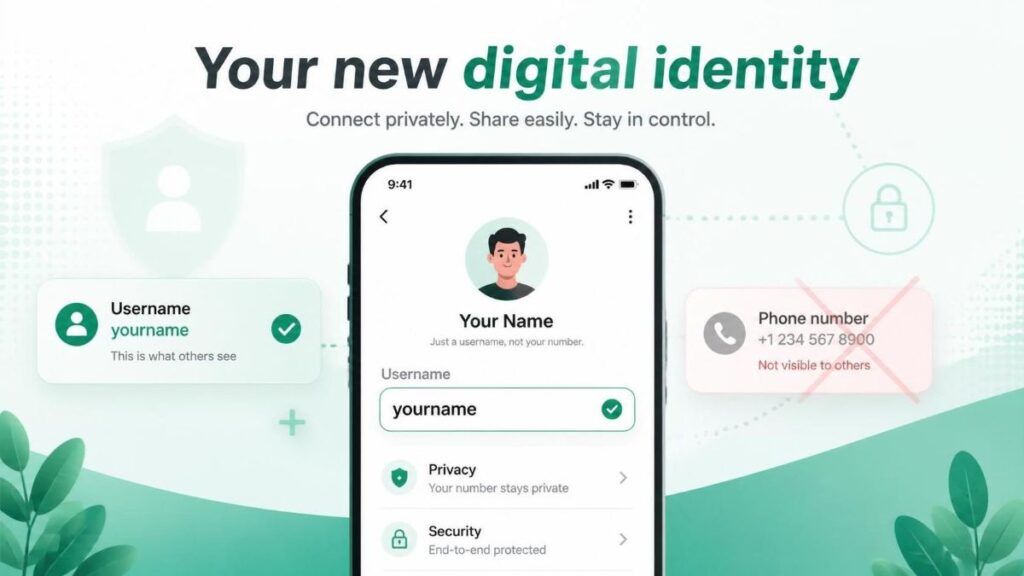
WhatsApp just dropped a massive update. You can now create a unique username. This feature changes how you connect. Now WhatsApp usernames are at the heart of your account, and your phone number stays private. You share only your chosen username. Think of it like an Instagram handle. It adds a fresh layer of privacy. Meta officially announced this update. The web page title from Meta confirms it. The era of sharing digits is ending. A new digital identity arrives on WhatsApp. Get ready to claim your online name. The race begins right now.
Key Takeaways
- WhatsApp now supports unique usernames.
- Your phone number remains hidden from strangers.
- You can reserve your handle immediately.
- This update mirrors social media platforms.
- Privacy sees a major boost on the app.
What Are WhatsApp Usernames
To explain, usernames are unique identifiers on WhatsApp. You pick a custom handle. The app attaches it to your account. Other users can find you via this handle. Your phone number, specifically stays invisible . This system adds a strong shield. As a result it prevents unwanted contact easily. The feature rolls out to all users soon.
- Your username becomes your public face.
- Strangers do not see your phone number.
- The handle must be unique and available.
- You can change it after some time.
- It supports letters, numbers, and underscores.
Prior to this update, sharing numbers was mandatory. You had to give out personal digits. This created a privacy risk for users. Now the platform feels more secure. The digital wall grows thicker.
How to Reserve Your WhatsApp Username
To point out, the reservation process is simple. Meta posted clear instructions on their site. You must act fast though. Popular names will vanish quickly. The early bird gets the worm here. Therefore open your app settings right now. Navigate to the profile section fast.
Step-by-Step Reservation Guide
- Update the app to the latest version.
- Open WhatsApp and tap on Settings.
- Click on your profile picture area.
- Look for the new username field.
- Type your desired unique handle.
- Tap confirm if the green check appears.
- Celebrate your new digital identity.
At the same time, avoid common name mistakes. Do not use too many numbers. Keep the handle professional and clean. A messy username looks spammy indeed. This forms your lasting digital image. Certainly make it sharp and memorable.
Rules for Choosing a Strong Handle
As a matter of fact, strict naming rules exist. You cannot use symbols randomly in WhatsApp username. Furthermore the system rejects taken names instantly. Keep these facts in mind now. Emphatically a good handle builds instant trust .
- The username must be 5-15 characters long.
- Do not copy celebrity names directly.
- Avoid trailing dots or dashes.
- Business names need a clear identity.
- Spam words trigger a block automatically.
Seeing that demand is high, be creative. Add your niche or location. A generic name will not stand out. Think of a brandable term for yourself.
Why Meta Launched This Feature Now
All things considered, privacy concerns drove this change. Users demanded better identity protection for years. Competing apps already offered this feature. Signal and Telegram led the privacy race indeed. WhatsApp also had to catch up fast. The company listened to user feedback, with WhatsApp username directly.

The Privacy Shift in Messaging
To illustrate, sharing numbers is dangerous. Spammers collect phone numbers constantly. Your digits leak into marketing databases quickly. A username creates a filter. You control who adds you. As a result this stops random stranger messages.
- No more unwanted sales calls.
- Strangers cannot find your location easily.
- Your number stays out of dark web lists.
- Community groups feel safer now.
- You decide when to share digits.
In reality, this is a huge safety win. Business owners benefit the most here evidently. They can display a WhatsApp username publicly. Their personal line remains strictly confidential always.
Competing with Other Secure Apps
Balanced against the market, WhatsApp needed this. Telegram has supported usernames for years. Users love the anonymous linking feature. WhatsApp commands a larger user base though. Bringing usernames retains the existing crowd. It stops the migration to smaller apps. With this purpose in mind, Meta acts decisively.
To sum up, the update modernizes the platform. You can read more security tips too. Check out the guide on secure messaging habits. Another key point involves business verification tools. Learn about those on our digital identity page.
Impact on Business and Personal Use
What’s more, businesses gain a massive advantage. A WhatsApp username significantly acts as a digital store sign. Customers scan a simple handle easily. They do not need a long phone sequence. Marketing materials look cleaner immediately. The barrier to contact drops significantly.
Business Benefits of WhatsApp Usernames
- Easy QR code integration for catalogues.
- Simple branding on social media bios.
- Rapid netiquette for customer support.
- Protection against SIM-swapping scams.
- Direct connection without personal gateways.
On one hand, personal users enjoy ghost mode. You can join public groups safely on the other hand. Your number does not flash to everyone. The group admin sees only the handle. So far, this stops harassment effectively. Trolls cannot trace your identity.
In conclusion, do not wait too long. Your ideal handle might get stolen. So a username is your digital asset now. Secure it just like an email address. The internet rewards fast movers always.
Frequently Asked Questions (FAQs)
Is my WhatsApp username permanent?
You can change it occasionally. However, Meta sets a cool-down period. Therefore you cannot swap it daily.
Can strangers see my profile picture?
Yes, firstly if your privacy settings allow it. The username hides only the number. Therefore adjust visibility settings carefully.
Do my chats start fresh with a username?
No, the history stays intact indeed. The username simply masks the phone identity. Old chats by and large remain unchanged.
Will businesses spam me via username?
As a matter of fact blocking remains simple and instant. The report feature works as usual significantly. You indeed control the inbox.
Are usernames searchable on Google?
No, usernames stay inside WhatsApp specifically. They are not indexed by search engines. The feature is internal evidently.
References
Meta. (2026, June). It’s time to reserve your WhatsApp username. About Facebook. https://about.fb.com/news/2026/06/its-time-to-reserve-your-whatsapp-username/
- Author
- Latest Posts

I am a digitally-adept IT graduate driven by an insatiable curiosity for scientific discovery and systemic progress. Captivated by how transformative breakthroughs like artificial intelligence, blockchain, complex DBMS and autonomous systems are redefining our global landscape. I am proficient in programming languages like Python and SQL. Alongside, I excel at synthesizing intricate technical data and high-level research into precise, compelling narratives. I have a keen interest in new mobile technologies and innovations. My mission is to bridge the gap between complex engineering and practical understanding for aspiring students, inquisitive enthusiasts, and tech leads alike. I specialize in deploying machine learning solutions using industry-leading libraries—including TensorFlow, PyTorch, and Scikit-learn. My academic foundation in engineering has been a pivotal contributor, instilling in me the analytical rigor and disciplined mindset necessary to navigate and decode today’s most disruptive technological innovations. By distilling theories into visionary insights, I aim to catalyse intellectual growth and pioneering spirit, encouraging every reader to navigate the revolutionary advancements currently building our collective future.