Automations deliver the greatest value; begin with simple triggers like motion-based lighting.
A Beginner’s Guide to Building a Smart Home System in 2026
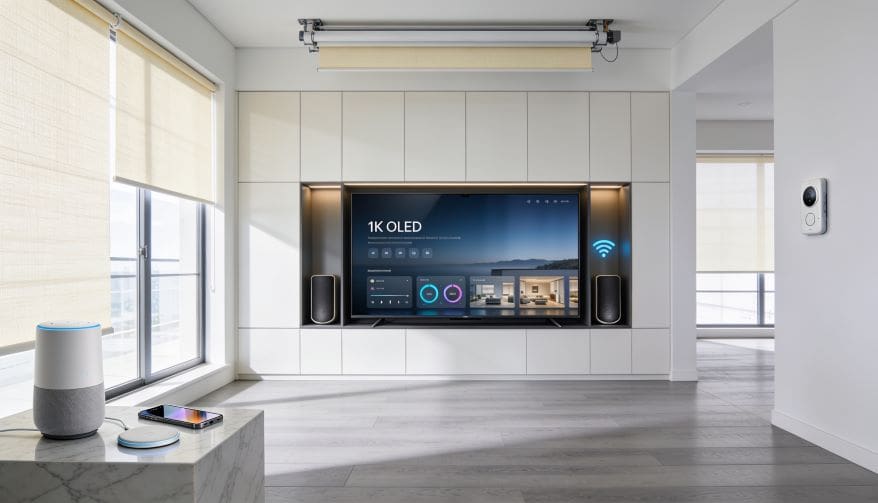
The idea of the connected home has advanced rapidly. By 2026, building a smart home will no longer be a luxury. For many homeowners, it is a practical option. This smart home setup guide will help you get to grips with the basics. You will learn how to build a smart home system from the scratch. The process is about selecting devices. It requires a knowledge of protocols and automation as well. This guide is about simplicity and innovation, first and foremost.
Smart home technology was fragmented before 2025. Devices from different manufacturers often wouldn’t communicate. In reality, early adopters had to deal with multiple apps. For example, a Philips Hue light bulb might not work with a Samsung smart plug. Furthermore, users were frustrated by the lack of interoperability. The industry suddenly realized that it needed standards.
The landscape is very different now. With an eye on the evolution of technology, 2026 is all about smooth integration. Devices can now work together using the Matter protocol. Amazon, Apple, Google and Samsung teamed up to list. To establish a universal standard. This time the newbies can mix and match brands. This may seem daunting at first. But then you don’t have to be an engineer.
Key Takeaways: Smart Home Setup Guide
- Smart home systems connect devices via centralized hubs or mesh networks.
- 2026 Market- Universal compatibility protocol.
- Core innovations are energy efficiency and AI-powered automation.
- Start with a good hub like Amazon Echo or Home Assistant.
- Security issues also include data encryption and local processing.
- We are seeing the emergence of predictive maintenance and edge computing.
- The cost reduction has made smart homes now accessible to beginners.
What is a Smart Home?
There are basically three steps to building a smart home system. Step one is to pick a central hub. Second, choose compatible devices. 3. Specify automation rules. And that’s it, so anyone can start anywhere. It’s like building with LEGO blocks, you add the pieces bit by bit. You can see the system growing organically. The end result is ease and effectiveness.
That is to say, a smart home learns your habits. It also automatically adjusts lighting, temperature and security. But the benefits are far greater than the initial effort. Then you can grow your system over time. Sooner or later you’ll wonder how you ever got along without it.
The Foundation in Context: Protocols and Hubs in 2026
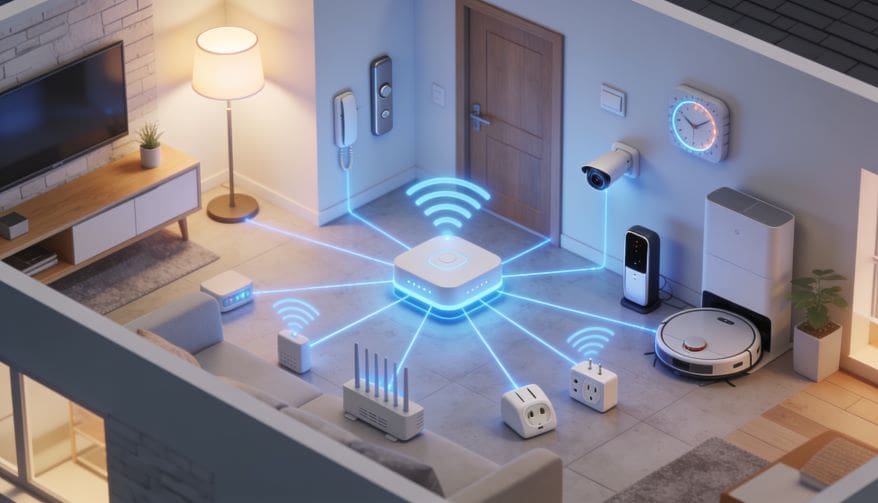
At this point you need to know the back bone of your system. In this the protocol describes how the devices talk to each other. As an example, consider a language. Devices are universal for matter . Just like humans are universal for English . Before Matter, it was Wi-Fi, Zigbee and Z-Wave. Each protocol also had strengths and weaknesses at the same time.
Matter is open-source, unlike proprietary systems. If your devices are Matter-certified, they will work together. Apple, Google and Amazon are all behind Matter so it’s a fact that it will be compatible. As you can see, this removes the confusion. In comparison, older systems needed special hubs. Choose Matter devices to keep your first project simple.
Common protocols in 2026 are
- Subject: The de-facto standard for interconnectivity.
- Thread: A low power mesh network for battery powered devices.
- Wi-Fi: High bandwidth for speakers and cameras.
- Zigbee: Still used for some sensors but fading
- Essentially, your hub is the brain of the system. Think about Amazon Echo Plus or Apple TV as hubs. For this, they deploy automation rules. To date these hubs support Matter natively. Generally, beginners should start with a hub from one of the major ecosystems.
This may be true but some users prefer open source. Long story short, Home Assistant is still hot. As I said , it gives you total control and privacy . But then again, it needs technical knowledge. So basically, just pick what you’re comfortable with. Cloud-based hubs are more beginner-friendly overall.
Choosing the right hub: Local or cloud processing
On the other hand, cloud-based hubs are simple. Eventually they do automatic updates. Likewise, they provide smartphone control from any location. For example an Amazon Echo depends on AWS servers. And voice commands are processed in the cloud. But this introduces latency and privacy concerns.
Choose a local hub, on the condition that you prioritize privacy. All processing is done locally, on a Raspberry Pi running Home Assistant. At this moment, no data is leaving your home. Local hubs offer speed, akin to having a private server . And they work through internet outages, by all means.
Your technical skill is the most important thing. Cloud hubs are plug-and-play, after all. That is, there is a need to establish local hubs. Suddenly, you might feel intimidated. That is, you can start in the cloud and move at a later point.
Matter Protocol: The Compatibility Game Changer
Before 2024, smart home lovers faced a problem. I’ve said this before, devices from different brands did not talk to each other. Basically users had to pick one ecosystem. You see, this limited the options. Now that Matter is a reality, the market has changed.
Actually Matter is a certification standard. In the beginning it was about locks and lighting. Now it includes sensors, thermostats and shades. As long as a device has the Matter logo, it works with any hub. To be emphatic, 5 years ago this was impossible.
Matter is fundamentally communication based on IP. This allows them to be reliable and fast. It integrates with Thread to create a mesh network. Thread devices amplify signals, similar to wi-fi extenders. This makes your system robust.
How to Build Your First Smart Home System: Step by Step
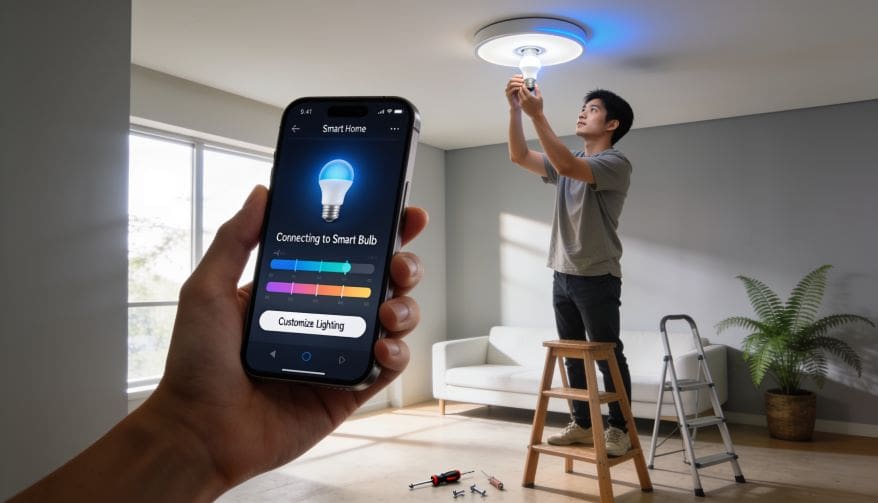
First, smart home building seems complex. Or, simply put, it’s like building furniture. You start with the directions. Moreover, you collect tools. Similarly, building a smart home requires planning. If you do these things you will be successful.
Now that you know about protocols, let’s get going. First of all, stick to a budget. And, all things considered, you don’t have to shell out thousands. You can buy, for example, a hub, a smart bulb and a plug. As said: expand slowly.
In general, do the following steps:
- Select a hub. Best for beginners: Amazon Echo (4th generation)
- Mount the hub. Follow the instructions on the app.
- Add a smart lightbulb. Use Matter certified bulbs such as Philips Hue.
- Set a schedule. Turn on lights at sunset.
- Throw in a thermometer. Attach it to your thermostat.
- Above all, turn on voice control. Alexa and Google Assistant have complex commands understood at the present time. To list, say “Alexa, good morning” The system will control lighting, blinds and temperature. And even more, it provides a seamless experience.
Default passwords must be changed to ensure security. In this case, create strong and unique passwords. Secure your network, just as you would lock your front door. Finally, activate two-factor authentication for your hub account.
Choosing the Devices: Sensors, Actuators, and Controllers
There are three types to describe the hardware. First of all, the sensors gather the data. Examples at this point are motion, temperature, and door sensors. Second, actuators take actions. Smart plugs can turn devices on/off. Third, controllers process decisions. The hub is essentially the controller.
When you think of actuators, think of the power rating. Smart Plugs Can Support Up To 15 Amps Detailed Suddenly, you could overload a plug. That is, check the wattage of the device. Most appliances, in fact, work just fine.
And so do controllers, they need processing power. In contrast, a powerful hub handles complex rules. Choose a solid hub to receive your multi-step automations. Don’t cut corners on this. Thus, this smart home setup guide will help you to choose the right devices.
Smart Home Setup Guide: Practical Uses Explained
Smart home technology is not just for the home anymore. In fact, different sectors are following similar principles. You will see how the same components are used in different industries. These applications are taken as an example.
- Healthcare: Smart sensors track Old Aged patients. Motion detectors also send alerts to caregivers. Smart medication dispensers can help ensure compliance. “It’s like having a nurse 24/7 hovering over you,” he said.
- Engineering: Labs use smart climate controls. Experiments are sensitive to temperature fluctuations, so smart HVAC systems keep things steady. Simply put, it’s all about precision. Environment Smart agriculture involves sensors in the soil. Similarly, irrigation systems turn on with moisture. Water usage drops 30% just by tracking data. This minimizes waste with a focus on sustainability.
- Education: Smart lighting in college campuses. Before this technology, lights burned all night long. In the end, motion sensors cut energy use by 40%. For instance, classrooms are lit only when occupied.
- Technology: Smart cooling in data centers. Simply put, AI is prediction of heat loads. It is like a smart thermostat that adjusts the airflow. This saves, above all, millions in energy costs.
All these examples speak to the scalability. For example, take healthcare. There is no question that the same motion sensor in a home can monitor a patient. To summarize, the building blocks are smart home components and this smart home setup guide can help you to understand the applications clearly.
Advantages of a Smart Home System in 2026
First, convenience, convenience makes life easier. And, energy savings means lower bills. To list the main advantages:
Energy efficiency: Reduces usage by 25% with smart thermostats and lights. Security: Cameras and door sensors keep intruders at bay. Accessibility: Voice control aids the people who are disabled. Comfort: Smart blinds & climate control create perfect environments. Peace of mind: With remote monitoring, you can check on your home from anywhere.
Resale value is better for smart homes. Many of these features are standard by this point. Compared to 2020, costs have fallen 50%. Thus, smart home technology is now within reach.
Challenges and Drawbacks
This may be true but there are cons. At any rate, it is good to know so as to prepare. First of all, there is the issue of internet dependency. Cloud-based devices may be disabled if your internet goes down. If yes, then choose hubs with local processing.
Secondly, there are privacy risks: Unsecured devices are like leaving a window open and exposing data. Finally, hackers target smart cameras. Simply put, always upgrade the firmware. Third, beginners can be overwhelmed by complexity. Therefore, it may take patience.
These are challenges, but there are solutions. Given the industry’s high priority on security, encryption improves year after year. Overall, for most users the benefits outweigh the risks.
Emerging Trends and Future Scope
It’s here that innovation accelerates. To enumerate the emerging trends in 2026:
Edge computing: Devices process data on the device. Each sensor is like a mini computer running AI models. Resulting in response times measured in milliseconds.
Predictive maintenance: Smart systems predict failure. Consider the washing machine. Sensors detect changes in vibration. To warn you before the breakdown.
AI Personalization: Systems Understand Your Patterns Lights, like, change with the mood, too. What’s more, music adapts to your schedule.
Energy Harvesting Batteries are dead. “Today there are sensors that are solar powered. This trend is to reduce maintenance and increase. Most importantly, these trends lead to autonomous systems. The future is integrated, that is for sure. So, to summarize, now is the best time to start.
Conclusion
To summarize, smart home construction is not expensive in 2026. All in all, the guide to setting up a smart home provides the foundation. Now that you know about protocols, hubs and benefits, you are ready to begin. And most important, always make sure compatibility and security are your top priorities. And with Matter, it’s never been simpler.
Create action in the here and now. Purchase a hub and a single smart device. So, your journey begins today, in the end. Plus the technology will evolve with you. Start building your connected home today.
Frequently Asked Questions about Smart Home Setup Guide
1. What is the cheapest way to start a smart home system?
Buy a used Raspberry Pi, install Home Assistant, and purchase two motion sensors and one smart plug. Total cost: approximately $80. This gives you a working hub and basic automations.
2. Do smart homes work without internet?
Yes, if you choose devices that operate on local network protocols (Zigbee, Z-Wave, Thread). Your hub must also support local processing. Check manufacturer specifications for “local API” or “no cloud required.”
3. How secure are smart home systems?
Security depends on your setup. Use strong passwords, enable two-factor authentication, keep firmware updated, as well as segment IoT devices on a separate Wi-Fi network. Avoid devices from manufacturers with poor update track records.
4. Can I build a smart home as a student project?
Absolutely. Many universities and high schools now use Home Assistant and Raspberry Pi kits for STEM projects. Students learn networking, sensor calibration, and automation logic while building a functional system.
References
- Guo, X., Shen, Z., Zhang, Y., & Wu, T. (2021). Review on the application of artificial intelligence in smart homes. Smart Cities, 4(4), 1361–1381. https://doi.org/10.3390/smartcities4040072
- Wu, T.-Y., Meng, Q., Chen, Y.-C., Kumari, S., & Chen, C.-M. (2023). Toward a Secure Smart-Home IoT Access Control Scheme Based on Home Registration Approach. Mathematics, 11(9), 2123. https://doi.org/10.3390/math11092123
- Author
- Latest Posts

I am a digitally-adept IT graduate driven by an insatiable curiosity for scientific discovery and systemic progress. Captivated by how transformative breakthroughs like artificial intelligence, blockchain, complex DBMS and autonomous systems are redefining our global landscape. I am proficient in programming languages like Python and SQL. Alongside, I excel at synthesizing intricate technical data and high-level research into precise, compelling narratives. I have a keen interest in new mobile technologies and innovations. My mission is to bridge the gap between complex engineering and practical understanding for aspiring students, inquisitive enthusiasts, and tech leads alike. I specialize in deploying machine learning solutions using industry-leading libraries—including TensorFlow, PyTorch, and Scikit-learn. My academic foundation in engineering has been a pivotal contributor, instilling in me the analytical rigor and disciplined mindset necessary to navigate and decode today’s most disruptive technological innovations. By distilling theories into visionary insights, I aim to catalyse intellectual growth and pioneering spirit, encouraging every reader to navigate the revolutionary advancements currently building our collective future.


