Your finger conducts a tiny electric current. Your fingernail does not.
Touchscreens: Why Your Phone Ignores Your Fingernails
Estimated reading time: 7 minutes
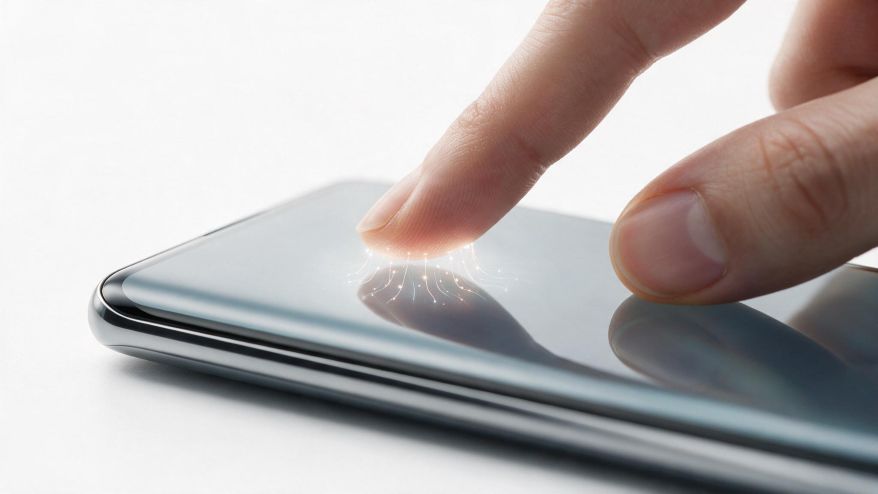
You tap your fingernail on the screen. Nothing happens. You try again harder. Still nothing. This frustrating experience confuses many people. The answer lies in basic physics. Capacitive touchscreens detect electrical changes. Your finger conducts a tiny electric current. Your fingernail does not. That explains why touchscreens ignore fingernails.
Key Takeaways: Why doesn’t my Phone Work with Fingernails
- Firstly, Capacitive touchscreens need conductive material to work
- Human skin conducts electricity naturally
- Fingernails are non-conductive keratin
- Gloves and pencils also fail because they lack conductivity
- Styluses work by mimicking finger conductivity
The Simple Physics Behind Why Your Phone Ignores Fingernails
To enumerate, modern phones use capacitive technology. This differs from old resistive screens. Resistive screens responded to pressure. They worked with any object. Capacitive screens need something different. They sense the electrical properties of your skin. The human body acts as a conductor. This is a critical distinction for understanding device behavior.
Seeing that conductivity varies by material, the screen behaves differently. Your fingertip contains sweat glands. Skin has salt and moisture. These make it electrically conductive. Fingernails are made of keratin. Keratin is a biological plastic. It acts as an insulator. It blocks electrical flow completely. The screen cannot detect your nail as a touch.
Analogous to a light switch, think about the system. Your finger completes a circuit. The screen creates a small electric field. When your finger touches, it changes that field. The phone measures this change. It calculates your touch location. Fingernails do not alter the field. They are invisible to the sensor. This is not a design flaw. It is a fundamental operating principle.
The Science of Capacitance and Conductivity
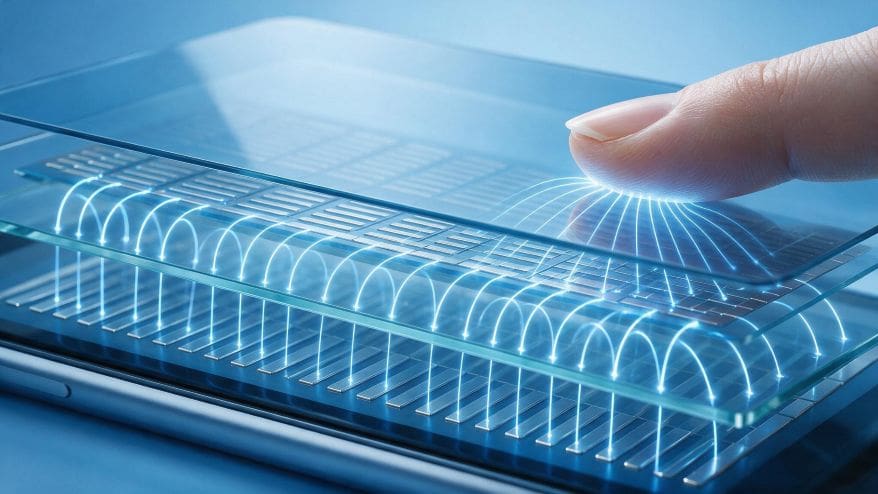
Capacitance stores electrical energy between two conductive plates. Your phone screen acts as one plate. Your finger acts as the other plate. Air normally separates them. When you touch the screen, you change the capacitance. The phone measures this change precisely. It identifies your exact touch location.
To illustrate, imagine a balloon near a wall. The balloon has static electricity. It sticks to the wall without tape. Your finger works similarly with the screen. The electrical field attracts your finger. The interaction creates a measurable signal. The phone processes this in milliseconds. It responds instantly to your command.
Human skin contains electrolytes. Sweat glands release salty moisture. Salt water conducts electricity very well. This natural conductivity makes fingers perfect for touchscreens. Dry skin still works but less effectively. Moist skin provides the best connection. That explains why your phone works better after washing your hands.
What’s more, different materials conduct electricity differently. Metals conduct extremely well. Water with dissolved salts conducts moderately. Plastics and rubbers conduct poorly. Keratin falls into the insulator category. It stops electron flow completely. The phone cannot detect anything through it.
Also Read: Induction Cooktops: Cooking without Flames
Why Different Materials Behave Differently
Pencils contain graphite. Graphite is carbon. Carbon can conduct electricity. But most pencils have wood covering. Wood is an insulator. This blocks any conductivity. A bare graphite stick might work. A wooden pencil will not. The wood prevents electrical contact.
Gloves work differently than fingernails. Gloves create a barrier. They physically separate your skin from the screen. The electrical field cannot pass through. There is no circuit completion. The phone sees only the glove material. Most glove fabrics are insulators. Special touchscreen gloves exist. They have conductive threads woven into the fabric.
Styluses solve this problem creatively. They use conductive rubber tips. These tips mimic skin properties. They contain conductive carbon particles. The stylus creates the same capacitance change as a finger. The phone responds accordingly. This is why styluses work while fingernails do not.
How Capacitive Touchscreens Detect Your Finger
The screen contains a grid of tiny electrodes. These electrodes create an electric field. As a result, the field extends above the glass surface. When your finger approaches, it disturbs this field. Consequently, the system measures the disturbance. Then, it calculates X and Y coordinates. This happens hundreds of times per second.
At first, the screen calibrates to ambient conditions. First, it measures baseline capacitance. However, everything changes when your finger arrives. As a result, the capacitance increases at that location. Next, the processor identifies the change. Then, it distinguishes your finger from other objects. Meanwhile, speed and accuracy depend on the specific hardware.
To list the key components: first, the glass layer protects the screen. Second, the transparent electrode grid sits beneath. In fact, ITO (indium tin oxide) forms these electrodes. Third, the controller chip processes signals. Fourth, the main processor interprets touch data. Overall, each component plays a vital role in the system.
After that, the system tracks movement. Then, it compares each frame to the last. Next, it calculates direction and speed. As a result, this enables swipe and pinch gestures. Consequently, the phone understands complex interactions. Meanwhile, all this happens without conscious thought. Therefore, the technology works seamlessly when functioning properly.
Soon or later, calibration can drift. For example, temperature changes affect sensors. In addition, humidity influences skin conductivity. Likewise, screen protectors can interfere. Therefore, the system constantly adjusts for these factors. As a result, it maintains reliable performance in diverse conditions. Ultimately, this adaptive capability is essential for everyday use.
The Role of Human Body as an Electrical Circuit
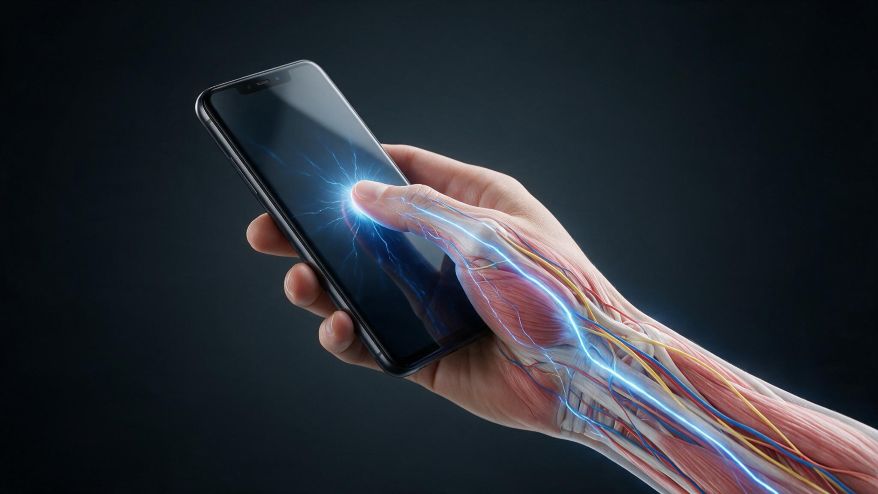
Your entire body works as a capacitor. As a result, you absorb charge from the environment. Then, you connect to the ground through your feet. Consequently, this forms a complete electrical path. When you touch the screen, charge flows through you. Therefore, the system detects this current flow. Finally, it identifies exactly where you made contact.
Take the case of charging a battery. In this case, your body acts like one terminal. Meanwhile, the screen acts like the other terminal. As a result, a complete circuit forms through your body. Next, the phone measures the circuit characteristics. Then, it calculates position from the measurement. Overall, the entire process takes microseconds.
Balanced against this simplicity, there are complications. For example, people near power lines show different readings. Similarly, people with very dry skin have weaker signals. In addition, people wearing shoes insulate from ground. Consequently, these factors change the baseline. Therefore, the system must adapt to each user. Fortunately, modern algorithms handle this variation well.
In light of these factors, manufacturers test extensively. As a result, they design for the broadest possible compatibility. For instance, they account for different skin types. In addition, they adjust for environmental conditions. Ultimately, the goal is universal accessibility. Therefore, most users never notice these behind-the-scenes adjustments.
Also Read: Targeted Protein Degradation: Revolutionary Cancer Treatment Innovation
Frequently Asked Questions: Why doesn’t my Phone work with Fingernails
Why doesn’t my phone work with fingernails?
Fingernails are made of keratin. Keratin is an electrical insulator. Capacitive touchscreens need conductive materials. Your finger skin conducts electricity. Your fingernail does not. That is why the screen ignores it.
Do all touchscreens require skin contact?
No, only capacitive screens need skin contact. Resistive screens respond to pressure. But capacitive screens are standard on modern phones. They provide better multi-touch and clarity. This makes them the preferred technology.
Can I make my fingernail work on a touchscreen?
Yes, apply a conductive coating. Nail polish with metallic particles works. Special conductive stickers are available. These create an electrical path. But using your finger pad is easier and more reliable.
Why do some styluses work while others don’t?
Active styluses have batteries and communicate with screens. Passive styluses simply conduct electricity. Both require conductive tips. Standard plastic styluses do not work. Only those with conductive rubber or metal tips function properly.
References
- Barrett, G., & Omote, R. (2010). Projected-capacitive touch technology. Information Display, 26(3), 16-21. https://doi.org/10.1002/j.2637-496X.2010.tb00229.x
- Nam, H., Seol, K.-H., Lee, J., Cho, H., & Jung, S. W. (2021). Review of capacitive touchscreen technologies: Overview, research trends, and machine learning approaches. Sensors, 21(14), 4776. https://doi.org/10.3390/s21144776
- Cheng, A. J., & Wang, C. H. (2023). Recent advances of capacitive sensors: Materials, microstructure designs, applications, and opportunities. Advanced Materials Technologies, 8(11), 2201959. https://doi.org/10.1002/admt.202201959
- Author
- Latest Posts

I am an inspirational writer and emerging science blogger with a deep-rooted passion for understanding and sharing the wonders of the world around us. My journey began with a Bachelor of Science in Chemistry from AKI’s Poona College of Arts, Commerce and Science, where I developed not only a strong foundation in scientific principles but also a mindset that values curiosity, observation, and critical thinking. Studying chemistry has taught me to approach problems with logic, to look beyond the obvious, and to see patterns where others might only see complexity. These experiences have shaped the way I perceive life and influence the way I express my thoughts, both scientifically and creatively.
I have always believed that knowledge is only as powerful as the way it is shared. This belief has guided me to create content that bridges the gap between science and everyday life. I aim to simplify complex scientific ideas so they become approachable, relatable, and engaging for everyone—whether someone has a formal background in science or is simply curious about the world. Science, in my view, is not confined to textbooks and laboratories; it is a way of thinking, understanding, and connecting with the world around us. By making science accessible, I hope to inspire curiosity, ignite learning, and encourage people to see the beauty and relevance of scientific discovery in their daily lives.
Alongside my love for science, I am deeply passionate about motivational writing. I believe words carry the power to transform perspectives, encourage self-reflection, and inspire action. By combining analytical thinking with creativity, I create content that is intellectually stimulating yet emotionally resonant. Whether I am breaking down a chemical concept, exploring a scientific phenomenon, or crafting motivational narratives, my goal is to communicate ideas in a way that is clear, meaningful, and impactful.
Through my work, I strive to empower my readers – not just by helping them understand the science around them, but by inspiring them to grow, learn, and realize their full potential. Every article, post, or story I write reflects my commitment to turning knowledge into inspiration. I want to spark curiosity, encourage self-improvement, and show that learning and personal growth are deeply connected. For me, writing is not just a craft; it is a way to touch minds, connect hearts, and make ideas come alive in a way that truly resonates.